Zend Framework Tutorial for ZF 1.8
Zend Framework 1.8, has been released!
To celebrate, I have completely revised and updated my Zend Framework tutorial to support the new Zend_Tool command line tool and Zend_Application for bootstrapping.
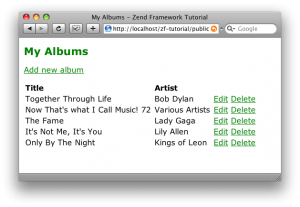
Let me know what you think :)



Rob,
Your tutorial is very good for someone that starts working with ZF now. It's great to see that you continue the work and update it when something important happens with ZF.
PS: the link to the tutorial in the post is broken.
Regards,
Romeo
Bad link
Sweet :) hope this one makes more sense than the new getting started guide!
"Zend Framework tutorial" link typo though :)
Christian,
Fixed the link :)
Regards,
Rob…
Your guide has been very helpful. Thanks!
I think there's a small mistake with the Form_Album class, as you called it "Form_Album" throughout the text, but "Album_Form" in the example.
Another thing: in the deleteAction, I think is missing a Zend_Form object to handle the delete submit.
Luis,
The delete action doesn't use a Zend_Form object – it uses a form defined in the delete.phtml file.
Regards,
Rob…
Luis,
I've worked out what you mean now and have fixed the PDF to match the source code archive :)
Regards,
Rob…
Great job, there are just few informations on the web right now about how to use zend_application, so big thx for this
PS i bought your book, its the best zf book on the market!
Hello Rob,
Thank you for your nice tutorial.
I just followed your tutorial to 13th page, and I got the following error on my browser:
===
Warning: include(C:hostlocalhostapplication/models/DbTable//Albums.php) [function.include]: failed to open stream: No such file or directory in C:hostlibraryZendLoaderAutoloaderResource.php on line 173
Warning: include() [function.include]: Failed opening 'C:hostlocalhostapplication/models/DbTable//Albums.php' for inclusion (include_path='C:hostlocalhostapplication/../library;C:hostlocalhostlibrary;C:hostlibrary;.;C:php5pear') in C:hostlibraryZendLoaderAutoloaderResource.php on line 173
Fatal error: Class 'Model_DbTable_Albums' not found in C:hostlocalhostapplicationcontrollersIndexController.php on line 16
===
After the 11th page, the script was working fine. I'm using WampServer 2.0h on Windows XP SP2 locally.
How can I fix this?
Regards,
BEREGU
Oops,… I just didn't name the model directory to DbTable. That's why I got the error.
Thank you Rob.
thx for updating your work
I find its a nice idea from Luis
Another thing: in the deleteAction, I think is missing a Zend_Form object to handle the delete submit.
Maybe you could also show this way and maybe a dojoform?
thx
daniel
Hi Rob,
Thanks for the great tutorial, I'm dying to learn how to use Zend_Auth and Zend_Acl with this tut (ZF1.8) Actually, I tried to use the good old one (ZF1.early) and it does not work unfortunately…
Hope to hear from you!!
Sincerly,
Bassgun
thanks for this it really helps to make the transition from 1.7 to 1.8
well… at least I figured out Zend_Auth and Zend_Acl… so my previous post is not necessary anymore!! Anyway, keep up the good work
I get error from Zend_Loader getting model's rowClasses. I named all my model with the new 1.8 naming convention Model_{modelname}, but I'm stuck with this problem, I always get
Warning
include({moduleName})
failed to open stream: No such file or directory in
C:wampmyprojectlibraryZendLoader.php
So, what is the naming convention for rowClasses? Should them be located inside models directory?
Thanks
Razorblade,
This is a known issue. Make sure you require() the row class first.
Regards,
Rob…
Hi Rob,
I've temporarily solved whit this solution:
http://www.nabble.com/ZF1.8-Naming-Convention-for-rowClass-Model-td23428187r0.html
Hope next version of ZF have this fixed.
Thank you
Many thanks for this tutorial. One thing I think that would be most useful would be a practical guide to creating custom helpers or other classes under the /library folder and then showing how to get them to autoload. With many different bootstrap examples out there it would be nice to see your basic bootstrap from 1.8 with an autoloader that references a custom library.
thanks,
and keep up the good work!
Hi! I have this some kind of problem which had the BEREGU but i don't know how to name to the model directory? Rob help me!
Hi,
I followed this guid without problems.
Then I followed the part about the view resource over at http://framework.zend.com/wiki/display/ZFPROP/Zend_Application+-+Ben+Scholzen, but get this error: Uncaught exception 'Zend_Loader_PluginLoader_Exception' with message 'Plugin by name 'Dojo' was not found in the registry; used paths: Zend_View_Helper.
Can you make a tutorial about this, because yours are always clear as water! Many thanks
hi,
Many thanks for this tutorial. One problem I facing to run the project with the directory name in root without typing public, please help in setting up virtual host or other method to solve this problem.
Hi,
Is it that hard to use the Zend_Tool? I followed all the instructions given in the tutorial but could still not run it. when i type zf show version i get a php.exe error and that puzzles me. i am using php5.2.9 apache 2.2.6 on a windows XP service pack 3.
Any help
I think you must add php.exe as environment var. Start->Control Panel->System->advanced click on environment var button ( my translation could not be perfect, I don't have english winxp ).
On the bottom textarea find the 'path' variable. Add ';path-to-your-php.exe' at the end of the string. The semicolon at the begin is important as it is a separator.
Restart your system and try again work with zend tool
hai when i am put this line–
$session = new Zend_Session_Namespace('Zets');
in index.php(bootsrap) then i recive this error—-
Fatal error: Uncaught exception 'Zend_Session_Exception' with message 'Zend_Session::start() – C:xampphtdocsapilibraryZendSession.php(Line:438): Error #2 session_start() [function.session-start]: Node no longer exists Array C:xampphtdocsapilibraryZendSession.php(Line:442): Error #2 session_write_close() [function.session-write-close]: Node no longer exists Array' in C:xampphtdocsapilibraryZendSession.php:444 Stack trace: #0 C:xampphtdocsapilibraryZendSessionNamespace.php(124): Zend_Session::start(true) #1 C:xampphtdocsapiindex.php(75): Zend_Session_Namespace->__construct('Zets') #2 {main} thrown in C:xampphtdocsapilibraryZendSession.php on line 444
why please help me thanks.
I got same error with BEREGU #10, and the models directory already have DbTable and Albums.php.
I fix it with editing library/Zend/Loader/Autoloader/Resource.php at line 173 autoload function, so the last snippet will be like this :
$path = $this->_components[$lastMatch];
$path = str_replace('APPLICATION_DATA', APPLICATION_DATA, $path);
return include $path . '/' . str_replace('_', '/', $final) . '.php';
HTH
hi im getting this problem and wont go
Fatal error: Class 'Model_DbTable_Albums' not found in J:WebsitesquickstartapplicationcontrollersIndexController.php on line 17
any help please!: D would love to get going with zend framework thanks Chris
Recently I was switched to Zf 1.8
Problem with models, getting Fatal error: Class 'Model_DbTable_Users' not found in D:workspaceafmisapplicationcontrollersMasterController.php on line 64
Hi,
nice tutorial. I found a little typo in your vhost-config (page 3):
DocumentRoot /var/www/html/z-ftutorial/public
I assume you mean:
DocumentRoot /var/www/html/zf-tutorial/public
CaBi :)
i stil getting error pls if there any idea……..
Warning: Zend_Loader::include_once(ModelDbTableAlbums.php) [zend-loader.include-once]: failed to open stream: No such file or directory in C:wampwwwtestlibraryZendLoader.php on line 83
Warning: Zend_Loader::include_once() [function.include]: Failed opening 'ModelDbTableAlbums.php' for inclusion (include_path='.;C:php5pear;../library') in C:wampwwwtestlibraryZendLoader.php on line 83
Fatal error: Class 'Model_DbTable_Albums' not found in C:wampwwwtestapplicationcontrollersIndexController.php on line 15
Thanks! It's a great tutorial!
I'm excited of Zend_Application!
Hi,
Is there a solution to this? Where is it?
"Fatal error: Class 'Model_DbTable_Albums' not found in C:xampphtdocsmusic-libraryapplicationcontrollersIndexController.php on line 17"
Please help. Thx.
niggfreeces,
You probably don't have the _initAutoloader function in your Bootstrap class.
Check that first.
Error is happeing because class name is wrong
Solution
Rename Model_DbTable_Albums to Application_Model_DbTable_Albums in controllers/IndexController.php
Hope this helps :)