MSSQL and PHP
This post is part of a series about my experiences building a PHP app for Windows Server 2008 and IIS 7 for the European WinPHP Challenge 2009 which is sponsored by iBuildings, Microsoft and Leaseweb.
It’s time to connect PHP to MS SQL Server. To make life simple, I decided to take my Zend Framework tutorial and get that going.
I created the database and albums table using the SQL Server Management Studio and populated with a couple of rows.
Using The SqlSrv API Reference, I started by with a simple test PHP script:
$connectionInfo = array(

    'Database'=>'zf-tutorial',

    'UID'=>'rob',

    'PWD'=>'123456',

);

$conn = sqlsrv_connect('RKAWIN2008\SQLEXPRESS', $connectionInfo);
if ($conn === false) {
echo "<p>Connection could not be established.</p> <pre>";
die(print_r(sqlsrv_errors(), true));
}
// Tidy up
sqlsrv_free_stmt($stmt);
sqlsrv_close($conn);
which gave me the error:
[Microsoft][ODBC Driver Manager] Data source name not found and no default driver specified
A quick google around suggested that I needed to install the SQL Server Native Client, so I did :) This worked!
It seems a little odd that the Web Platform Installer let me install PHP and MSSQL Server Express, but didn’t do the native client at the same time!
Once you have a connection, it gets easy! The code to retrieve data from the database and iterate over it is:
$sql = "SELECT * FROM albums";

$stmt = sqlsrv_query($conn, $sql);

if ($stmt === false) {

     echo "<p>Error in query preparation/execution.</p>";

     die(print_r(sqlsrv_errors(), true));

}
// Retrieve each row as an associative array and display the results.
while ($row = sqlsrv_fetch_array( $stmt, SQLSRV_FETCH_ASSOC)) {
echo $row['artist'] . ': ' . $row['album'] . "<br/>n";
}
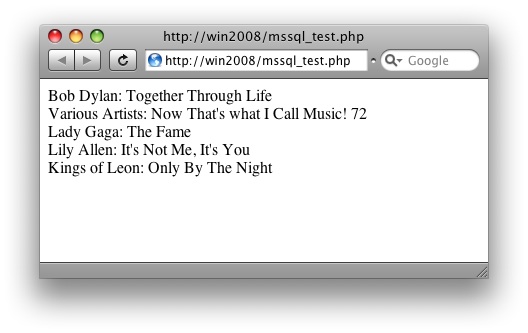
which gives the output:
The next step is to connect and use a Zend_Db_Adapter, but there isn’t one yet. I’ve also discovered that you can’t use the SQL Server driver for PHP with PDO, so I’ll be creating an App_Db_Adapter_Sqlsrv which, assuming it works, I’ll propose for addition to Zend Framework.



Thanks for the code. I am wondering, though, shouldn't I iterate over the contents of the result set in the View? If so, how do I pass the result set $stmt into the view? Or, if this is incorrect, could you suggest a better procedure?
Also, I look forward to you sqlsrv adapter.
Many thanks,
b
Bm
Assign your $stmt to the view in ZF by using $this->view->stmt = $stmt;
Regards,
Rob…
Sir,
I need free MSSQL server setup.
ok i have a databse (sql)uploaded to my database now i want to connect it to php and php to my website the meaning is that a customer can use it fill in a form and press save the filled in forum saved in the database and the an email to my boss