Tutorial: Getting Started with Zend Framework 1.8 and 1.9
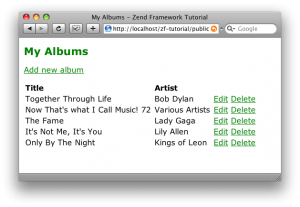
This tutorial is intended to give an introduction to using Zend Framework to write a simple database driven application. It has been extensively rewritten for version 1.8 of the framework and takes full advantage of the Zend_Tool command line script and Zend_Application for bootstrapping. Other components used include Zend_Controller, Zend_View, Zend_Db_Table and Zend_Form.
This tutorial has been tested on versions 1.8 and 1.9 of Zend Framework. It will not work on any version prior to version 1.8.
If you are deploying to a "user" site (e.g. http://localhost/~rob), then you need a RewriteBase line in your .htaccess file that looks something like: RewriteBase /~rob/zf-tutorial/public/.
English version: Dowload the PDF (v1.6.4).
Code
The associated code is available:
Further reading
Once you have finished this tutorial, consider buying my book, Zend Framework in Action. Also, the Quick Start is worth reading.
Chris Kirk has kindly provided a Q&A PDF which may help if you are having problems.
Previous versions of this tutorial
The tutorial for Zend Framework 1.5, 1,6 and 1,7 is still available, along with the translations for it. You can also find original tutorial for Zend Framework 1.0.
Changelog
- 1.6.4 (20/Jan/2010)
- Fixed more typos and errors. Thanks to many people who reported them.
- 1.6.3 (05/Aug/2009)
- Fixed typos and tested with 1.9.0. Updated to note that 1.9 comes with its own BaseUrl view helper. Thanks to many people who reported the typos, including Spabby on Freenode IRC's #zftalk channel :)
- 1.6.2 (05/May/2009)
- Code in deleteAction() now matches code in zip file! Thanks to Luis and Oleg Lobach.
- 1.6.1 (01/May/2009)
- Minor fixes. Thanks to Tomas Fejfar and Luis.
- 1.6.0 (01/May/2009)
- Completely updated and significant portions revised for Zend Framework 1.8


May 1st, 2009 at 12:50 #
Hi,
I've finished reading the tutorial. Easy to follow but still touching a lot of required and important areas of the ZF.
Good stuff to get started!
May 1st, 2009 at 15:08 #
Great article, I'm starting a new project and I'll use the ZF 1.8.
May 1st, 2009 at 15:22 #
[...] Najlepszą drogą do zapoznania się z nowymi narzędzami może być oficjalny przewodnik Zend Framework Quick Start, a także przewodnik Roba Allena. [...]
May 1st, 2009 at 15:49 #
[...] You can find out more about new RAD features reading Zend Framework Quick Start and Zend Framework Tutorial by Rob Allen. [...]
May 1st, 2009 at 22:24 #
Thanks for great tutorial and operational changes for ZF1.8 release.
But in delete action something strange - why you use $form variable and where it initialized?
May 2nd, 2009 at 08:08 #
Oleg,
Fixed in version 1.6.2.
Regards,
Rob...
May 3rd, 2009 at 00:22 #
[...] Akrabat hat auch schon sein Tutorial auf 1.8 angepasst. Author: KingCrunch Categories: PHP, Zend Framework Tags: Kommentare [...]
May 3rd, 2009 at 19:04 #
Nice tutorial, but one thing I'm not clear on is how to use my own configuration variables in the application.ini and access them?
For example, in earlier ZF versions, I could put a custom setting in app.ini:
cms.max.feeds = 10
Then in the bootstrap:
$configuration = new Zend_Config_Ini(
APPLICATION_PATH . '/config/app.ini',
APPLICATION_ENVIRONMENT
);
$registry = Zend_Registry::getInstance();
$registry->configuration = $configuration;
The in the controller this worked:
$this->_nMaxFeeds = INTVAL(Zend_Registry::getInstance()
->configuration
->cms
->max
->feeds);
but now I have no idea to get the same functionality in ZF 1.8.0.
I tried following your tutorial, the Quickstart, reading the ZF docs and reading through a good chunk of the code and am stuck.
Thanks.
May 3rd, 2009 at 19:55 #
Joe,
In a controller method, you can do this:
If you want it as a Zend_Config object, then add this line:
Regards,
Rob...
May 3rd, 2009 at 20:18 #
Aaah. Thank you so much!
May 4th, 2009 at 04:20 #
Am I just stupid or did I miss something. I set up the tool and tried to get the scaffolding to come up. it can't seem to include Application.php, and I know that is there.
Failed opening required 'Zend/Application.php' (include_path='/var/www/zf-tut/library:.:/usr/share/php:/usr/share/pear' in /var/www/zf-tut/public/index.php on line 18
but look:
/var/www/zf-tut/library/Zend$ ls -al Application.php
-rw-rw-r-- 1 colleen colleen 9232 2009-05-03 20:31 Application.php
May 4th, 2009 at 04:26 #
I got it to work by deepsixing the symlink to the Zend library and actually copying it. It would be nice to know why the symlink didn't work. It has always worked in my other ZF experiments.
May 4th, 2009 at 09:42 #
Hi!
While working with previous releases of ZF, I was always setting the baseUrl via FrontController:
$frontController->setBaseUrl('/some/path');
How to set this path now?
Also, I am using .htaccess file to start my app, in root directory:
RewriteRule .* public/index.php
But using it now (I am not using VirtualHost to set the path to public dir) makes ZF display 'Page not found' error.
How do I solve this?
Regards,
Jacek
May 4th, 2009 at 10:15 #
Again it is necessary to alter all :(. Thanks for your work!
May 4th, 2009 at 11:56 #
OK - I've solved it :)
I've just added a line of code in application.ini file:
resources.frontController.baseUrl = "/some/path"
Regards,
Jacek
May 4th, 2009 at 21:14 #
Thanks it all works. Like the new auto tools, hope they include a default layout or option therefore, now must go read the help. :)
May 4th, 2009 at 21:53 #
OK now I am very confused how I adapt stuff written w/ earlier Zend to 1.8 For example, I have this line
$frontController->registerPlugin(new Custom_Controller_Plugin_MemcachedSetup(),96);
in an old bootstrap file in the runApp method. Where do I put it now? And are we still stuck with those stupid ordering numbers? Because I think they are kludgy.
May 4th, 2009 at 23:05 #
Why is $bootstrap = $this->getInvokeArg('bootstrap');
only available in a controller method?
Config data is needed all over the place.
I'm converting my code to 1.8.0 and for example need to access the config variables in a controller action helper, but it returns "Fatal error: Call to undefined method Zend_Controller_Action_Helper_MyHelper::getInvokeArg()"
May 5th, 2009 at 01:52 #
[...] task today was to make Rob Allen's Zend framework tutorial project run on Windows. Some years ago such task could have been a problem, but as you will see, [...]
May 5th, 2009 at 05:49 #
Joe,
From a controller action, can't you just use $this->getController()->getInvokeArg('bootstrap') ?
If you really need config everywhere, then you could do this:
The config file will now be in the registry as a Zend_Config object.
Regards,
Rob...
May 5th, 2009 at 05:54 #
Thanks Rob. I've rewritten my code to circumvent it but it's very useful being able to put it all in the registry just in case.
May 5th, 2009 at 06:33 #
[...] The PDF can be downloaded here directly. And you can find some notes from his blog post here. [...]
May 5th, 2009 at 13:32 #
[...] Zend Developer Blog. Zmianie uległy także Zend Framework QuickStart oraz świetny tutorial Roba Allana (Akra's DevNotes). Author: Paweł Wojciechowski Categories: Zend Framework Tags: Zend Framework Komentarze [...]
May 5th, 2009 at 19:40 #
I understand that stuff written with the old bootstrap way will work just fine but I want to convert a small project to the 1.8 way so I can LEARN what the correspondences are. All I've seen so far is small examples of the new way without much bootstrapping. Could we have a concise point by point comparison for example: how and WHERE do you register plugins & helpers first the old way then the new way. What do these _init* things correspond to if anything in the old way. I need EXACTLY everything spelled out. just giving me code snippets won't work because I will have no idea where it goes. I think I understand they can now be resources in some way and you put them in the config yes? ??? But I am just not putting together all the pieces. I have asked questions and people give me hand wavy answers as if I already should KNOW. But I don't KNOW and I want to learn but I can't learn if I just hear glib instructions like "oh just put it in the config." What exactly is "IT" and what does the config look like and then once I do that how and where do I use it! How I learn is pretty much strictly by example. I do not understand verbal explanations very well. Is there a new ZFiA with all this in it and can I download it?
May 6th, 2009 at 23:16 #
Rob,
"If you really need config everywhere, then you could do this:
class Bootstrap extends Zend_Application_Bootstrap_Base
{
"
I don't see that file and running it returns:
"Fatal error: Class 'Zend_Application_Bootstrap_Base' not found in C:\joedevon\workspace\application\Bootstrap.php on line 2"
===
In any event, where it's disturbing me is I'd like to write my own queries rather than rely on Zend_Db_Table.
But since the getInvokeArg('bootstrap') is unavailable in the models, how are you supposed to use the vars that were brought into the Bootstrap from application.ini?
May 7th, 2009 at 05:32 #
Doh,
I meant Zend_Application_Bootstrap_Bootstrap rather. I've corrected the above example too.
It rather depends on how your model depends on your database adapter. If you use Zend_Registry, then you could do:
Regards,
Rob...
May 7th, 2009 at 05:51 #
Thank you thank you. It was making me crazy. That fixed my problems :) Hopefully I'll be good to go from here on out :)
May 8th, 2009 at 21:26 #
Colleen,
If you need to register new plugins add the following lines to your bootstrap file. I know others will be looking for the same solution.
// Create application, bootstrap, and run
$application = new Zend_Application(
APPLICATION_ENV,
APPLICATION_PATH . '/configs/application.ini'
);
// ADD THESE 2 LINES
$bootstrap = $application->getBootstrap();
$bootstrap->registerPluginResource(new My_Plugin_Class());
$application->bootstrap()
->run();
May 10th, 2009 at 16:00 #
[...] set up an empty Zend Framework project: you can use the Zend Studio for Eclipse wizard or the new Zend_Tool command line. Use Zend Studio wizard to create an empty Zend Framewrok [...]
May 11th, 2009 at 17:34 #
Im new to zend framework and I have been able to follow through with the tutorial but I get the following error at the end it:
Message: No adapter found for Model_DbTable_Customers
Stack trace:
#0 E:\sites\metersys\library\Zend\Db\Table\Abstract.php(652): Zend_Db_Table_Abstract->_setupDatabaseAdapter()
#1 E:\sites\metersys\library\Zend\Db\Table\Abstract.php(286): Zend_Db_Table_Abstract->_setup()
#2 E:\sites\metersys\application\controllers\IndexController.php(17): Zend_Db_Table_Abstract->__construct()
#3 E:\sites\metersys\library\Zend\Controller\Action.php(512): IndexController->indexAction()
#4 E:\sites\metersys\library\Zend\Controller\Dispatcher\Standard.php(288): Zend_Controller_Action->dispatch('indexAction')
#5 E:\sites\metersys\library\Zend\Controller\Front.php(936): Zend_Controller_Dispatcher_Standard->dispatch(Object(Zend_Controller_Request_Http), Object(Zend_Controller_Response_Http))
#6 E:\sites\metersys\library\Zend\Application\Bootstrap\Bootstrap.php(77): Zend_Controller_Front->dispatch()
#7 E:\sites\metersys\library\Zend\Application.php(303): Zend_Application_Bootstrap_Bootstrap->run()
#8 E:\sites\metersys\public\index.php(26): Zend_Application->run()
#9 {main}
Request Parameters:
array(3) {
["controller"]=>
string(5) "index"
["action"]=>
string(5) "index"
["module"]=>
string(7) "default"
}
May 11th, 2009 at 17:42 #
I am using zend server 4.0.1 with apache on vista and oracle.
Thanks.
May 11th, 2009 at 19:47 #
This is a fantastic tutorial. It gives you that extra bit of understanding compared to the Quickstart. Im very new to ZF and I am eager to learn more. I'm wondering if there will be another tutorial that makes use of authentication and some kind of administration module (i.e a blog?). You've done a great piece of work here though! Two thumbs up!
May 12th, 2009 at 06:03 #
zig2na,
What is in your config file?
Regards,
Rob...
May 12th, 2009 at 13:17 #
Rob,
Thanks for your quick response. Fortunately, I have been able to resolve it.
I was using the following db strings:
database.db.adapter = Pdo_Oci
database.db.params.host = 192.168.1.10
database.db.params.username = avrladmin
database.db.params.password = nasa
database.db.params.dbname = mavrl
database.db.params.port = 1522
instead of:
resources.db.adapter = Pdo_Oci
resources.db.params.host = 192.168.1.10
resources.db.params.username = avrladmin
resources.db.params.password = nasa
resources.db.params.dbname = mavrl
resources.db.params.port = 1522
I copied it from one of my trials.
Cheers!
May 12th, 2009 at 20:29 #
Has anyone figured out how to separate controllers within the Boostrapper in ZF 1.8?
I have this in 1.7:
$front = Zend_Controller_Front::getInstance();
$front->setControllerDirectory(array(
'admin' => '../application/admin/controllers',
'default' => '../application/default/controllers'
)
);
I know I can create an "AdminController" in my "top level" directory that contains all of the admin tools but that would get quite large with several actions.
This way administrative tools can be kept separate from the public side of the site (in "default"). Has anyone solved this issue?
Thanks in advance.
May 12th, 2009 at 20:37 #
Hi
I have an error
my ini file looks like
resources.db.adapter = Pdo_Oci
resources.db.params.host = localhost
resources.db.params.username = dd
resources.db.params.password = dd
resources.db.params.dbname = xe
My Albums
An error occurred
message ?>
Exception information:
Message: exception->getMessage() ?>
Stack trace:
exception->getTraceAsString() ?>
Request Parameters:
request->getParams()) ?>
May 13th, 2009 at 07:25 #
Try this with oracle adapter and note the dbname line.
resources.db.adapter = oracle
resources.db.params.host = 127.0.0.1
resources.db.params.dbname = 127.0.0.1/xe
resources.db.params.username = crm
resources.db.params.password = crm
resources.db.params.port = 1521
May 13th, 2009 at 07:43 #
Keith,
I use a separate module for administration controllers.
Regards,
Rob...
May 13th, 2009 at 12:42 #
Thanks for the great tutorial!
Can the config.ini be used to specify multiple databases? My application uses 2 DBs and it doesn't appear the DB resource can handle multiple databases specified in the ini in any way shape or form.
I know I can create a new "DBs" resource and have that handle an array of db resources, but is that the best practice?
May 13th, 2009 at 13:27 #
zig2na,
thanks for your advice. I' ll try .
If is the table in different schema. What is change in config.ini file?
May 13th, 2009 at 18:22 #
racmo,
XE uses your username to select schema provided all the other details given are correct and its able to talk to the XE listner.
May 13th, 2009 at 18:48 #
zig2na,
actually apache connect to database I saw entris in the listener.log. But the error stil goes on.
my other question is
if table's owner different schema from my provided username, how can i select the table? thanks.
best regards.
May 13th, 2009 at 20:57 #
ramco,
your username serves as your schema in XE. But you have to use 'localhost/xe' in your connect as the dbname instead of your actual username which doubles as the schema.
May 14th, 2009 at 00:06 #
[...] load models Hi there, I'm trying to follow the tutorial in Akra's DevNotes Tutorial: Getting Started with Zend Framework 1.8 but with little sucess! When I get to part that I need to add the code: public function [...]
May 14th, 2009 at 21:11 #
Hi, My problem is all identifier is in "" . oracle support uppercase identifier by default. So, how can implement CASE_FOLDING option in ini file to use db connection? is any suggestion. thanks.
May 15th, 2009 at 01:50 #
Hi,
It's really a nice tutorial. I am doing something wrong in setting up the path.
I have successfully set a path and created a project using command
zf create project xyz
Now, i need to setup actions in controllers:
According to tutorial i can do it by using command:
zf create action add index
but to do this i should be in xyz/application or xyz directory (not sure ). When i go in directory through command prompt and write the command it gives error that
"PHP.exe is not recognized as internal or external command"
And definitely it is correct because php.exe is in c:\php folder instead of c:\php\xyz folder
Can anybody tell me how can i set actions in C:\php\beta\application\controllers\IndexControlle r.php
I will really be very thankful to you.
Regards,
Umair
May 16th, 2009 at 23:13 #
Hi Rob,
Very nice tutorial! I'll definitely checkout your book.
FYI, the latest version of the pdf (v1.6.2) is missing a section at the top of page 6.
The previous version of the pdf (v1.5.2) had the following segment (before the sentence fragment) at the top of page 6:
By default, Zend Framework’s controller reserves a special action called index as a default
action. That is, for a URL such as http://localhost/zf-tutorial/public/news/
the index action within the news controller will be executed. There is also a default controller
name should none be supplied. It should come as no surprise
May 17th, 2009 at 08:41 #
ramco,
Try this:
resources.params.options.caseFolding = caselower
May 19th, 2009 at 10:26 #
hello,
Great tutotrial! It all works and the explanations are very good.
My only question is why did you get the view from the layout:
$this->bootstrap('layout');
$layout = $this->getResource('layout');
$view = $layout->getView();
as directly getting the view as they show on the zends quick start guide?
$this->bootstrap('view');
$view = $this->getResource('view');
Does it have some benefit?
thanks!
Luciano
May 19th, 2009 at 10:49 #
Thanks Rob for the tutorial and answers and everyone for your comments. I learned a lot just reading the comments section. I didn't even know ZF has changed since 1.8. I like to use best practices when coding. So it was confusing to see all the differing examples and ways of doing things. Now off to read more.
Cheers!
May 19th, 2009 at 11:03 #
Luciano,
In my tutorial, I don't create a view resource within the bootstrap class or application.ini file.
Given that you can collect the view from the layout, and I needed to bootstrap the layout anyway, it made sense to grab the view that way.
Regards,
Rob...
May 19th, 2009 at 21:29 #
Hi Rob and thanks for the tutorial.
I'm having a problem, just added the actions for the IndexController.php via terminal console fine, but when I try to test the URL of the action.. example:
http://localhost/zf-tutorial/public/index/edit
I'm getting a 404 Error from Apache, I've been trying to figure out what's going on but I couldn't, a little of help would be appreciated :)
Thanks in advance!
May 19th, 2009 at 22:14 #
Ok it's solved
I just forgot to add AllowOverride All in the httpd.conf for the directory of my project, all is working fine now :-)
May 20th, 2009 at 20:54 #
Zigna,
thanks for your advice.
I used this params
db.params.options.autoQuoteIdentifiers = 0
It solves one of my problem. But this case, ID column is must be uppercase (ID). But in the sample code the identifier written by lowercase (id), I tried your advice but column identifiers still return with uppercase.
May 21st, 2009 at 00:36 #
I am newbie to Zend framework, while trying your code i got the below error, please guide
Fatal error: Class 'Models_DbTable_Albums' not found in /var/www/zend_site/application/controllers/IndexController.php on line
May 22nd, 2009 at 12:53 #
Thanks Rob for the tutorial and answers and everyone's comments.But I want to know how We can run Project with "http://localhost/myname" without typing public folder.
May 22nd, 2009 at 19:27 #
Hi Rob, guys,
I am kind of new to ZF, but keen to learn it. So i grabbed the tutorial and ZF 1.8.1 and tried the tutorial both on Win and Ubuntu servers. So I have to say I had very strange and frustrating initial results. On windows i had no bootstrap.php(lower case) file at all and noting in index.php but require_once "bootstrap.php", and as nothing in the tutorial mentioned that something should be done about that I assumed it is ok. It wasn't. Anyway downloading the code and comparing to what I have I understood that I am way off. By pasting the missing bootstrap content everything came to place. On contrary on Ubuntu Zend_Tool created a lot of bootstraping and a default module, all different again from what is used in the tutorial. I am sure that with some adaptation the tutorial will work just fine with the default configuration from Zend_Tool but for a newbie like me it is quite a struggle to get up and running without a clue that something should be changed in the default settings. Other then that it is a great introduction to ZF, and I will probably by the second edition of ZFiA since I heard that there are some errors there too still.
May 23rd, 2009 at 13:31 #
Edit to my previous comment - it seems that the problem is not in Zend_Tool, but zend studio which i desided to use for the tutorial, when you make a zf project in zs it overwrites a lot of stuff in your project structure.
May 25th, 2009 at 19:46 #
Petar,
You would need to setup a virtual host within apache (don't know if you are using apache). Search online. there are plenty of good resources for it.
May 25th, 2009 at 19:47 #
sorry previous post was meant for khem raj not Petar.
May 26th, 2009 at 13:32 #
Hi,
I want to solve this problem without using Virtual Host Please Help me.
May 26th, 2009 at 14:53 #
KhemRaj,
Place your index.php file in the root directory and modify paths appropriately.
Regards,
Rob...
May 26th, 2009 at 19:58 #
Hi Rob,
I found a syntax error - bottom of page 3, DocumentRoot must be '/var/www/html/zf-tutorial/public', but in manual '/var/www/html/z-ftutorial/public'
With best regards...
May 27th, 2009 at 05:58 #
Thanks Oleg :)
Rob...
May 27th, 2009 at 07:09 #
hi,
Thanks for reply Please tell me how we can set the appropriate path after placing index.php in root please explian in detail.
Thanks.
May 27th, 2009 at 13:18 #
Hey,
I'm trying to do your tutorial 'Getting started with Zend Framework' Document Revision 1.6.2 and I've come to page 13 of 17. When trying to view the index page I'm getting the following error:
Notice: Undefined variable: moduleLoader in /Applications/MAMP/htdocs/zf-tutorial/application/Bootstrap.php on line 10
Fatal error: Uncaught exception 'Zend_Controller_Response_Exception' with message 'Cannot send headers; headers already sent in /Applications/MAMP/htdocs/zf-tutorial/application/Bootstrap.php, line 10' in /Applications/MAMP/htdocs/zf-tutorial/library/Zend/Controller/Response/Abstract.php:281 Stack trace: #0 /Applications/MAMP/htdocs/zf-tutorial/library/Zend/Controller/Response/Abstract.php(299): Zend_Controller_Response_Abstract->canSendHeaders(true) #1 /Applications/MAMP/htdocs/zf-tutorial/library/Zend/Controller/Response/Abstract.php(727): Zend_Controller_Response_Abstract->sendHeaders() #2 /Applications/MAMP/htdocs/zf-tutorial/library/Zend/Controller/Front.php(974): Zend_Controller_Response_Abstract->sendResponse() #3 /Applications/MAMP/htdocs/zf-tutorial/library/Zend/Application/Bootstrap/Bootstrap.php(77): Zend_Controller_Front->dispatch() #4 /Applications/MAMP/htdocs/zf-tutorial/library/Zend/Application.php(328): Zend_Application_Bootstrap_Bootstrap->run() #5 /Applications/MAMP/htdocs/zf-tutorial/public/index.php(26 in /Applications/MAMP/htdocs/zf-tutorial/library/Zend/Controller/Response/Abstract.php on line 281
I'm running a MAMP server on Mac OS X.
Can anyone help me? Thanks!
May 27th, 2009 at 13:51 #
Hey,
now I'm having another problem.
Whem I'm trying to view http://localhost:8888/zf-tutorial/public/
of my MAMP on Mac OS installation
it says:
Add new album
An error occurred
Application error
Exception information:
Message: SQLSTATE[42S02]: Base table or view not found: 1146 Table 'zf.Model_DbTable_Albums' doesn't exist
Stack trace:
#0 /Applications/MAMP/htdocs/zf-tutorial/library/Zend/Db/Statement.php(283): Zend_Db_Statement_Pdo->_execute(Array)
#1 /Applications/MAMP/htdocs/zf-tutorial/library/Zend/Db/Adapter/Abstract.php(467): Zend_Db_Statement->execute(Array)
#2 /Applications/MAMP/htdocs/zf-tutorial/library/Zend/Db/Adapter/Pdo/Abstract.php(235): Zend_Db_Adapter_Abstract->query('DESCRIBE `Model...', Array)
#3 /Applications/MAMP/htdocs/zf-tutorial/library/Zend/Db/Adapter/Pdo/Mysql.php(156): Zend_Db_Adapter_Pdo_Abstract->query('DESCRIBE `Model...')
#4 /Applications/MAMP/htdocs/zf-tutorial/library/Zend/Db/Table/Abstract.php(727): Zend_Db_Adapter_Pdo_Mysql->describeTable('Model_DbTable_A...', NULL)
#5 /Applications/MAMP/htdocs/zf-tutorial/library/Zend/Db/Table/Abstract.php(770): Zend_Db_Table_Abstract->_setupMetadata()
#6 /Applications/MAMP/htdocs/zf-tutorial/library/Zend/Db/Table/Abstract.php(923): Zend_Db_Table_Abstract->_setupPrimaryKey()
#7 /Applications/MAMP/htdocs/zf-tutorial/application/models/DbTable/Albums.php(24): Zend_Db_Table_Abstract->insert(Array)
#8 /Applications/MAMP/htdocs/zf-tutorial/application/controllers/IndexController.php(33): Model_DbTable_Albums->addAlbum('The Killers', 'Day and Age')
#9 /Applications/MAMP/htdocs/zf-tutorial/library/Zend/Controller/Action.php(512): IndexController->addAction()
#10 /Applications/MAMP/htdocs/zf-tutorial/library/Zend/Controller/Dispatcher/Standard.php(288): Zend_Controller_Action->dispatch('addAction')
#11 /Applications/MAMP/htdocs/zf-tutorial/library/Zend/Controller/Front.php(936): Zend_Controller_Dispatcher_Standard->dispatch(Object(Zend_Controller_Request_Http), Object(Zend_Controller_Response_Http))
#12 /Applications/MAMP/htdocs/zf-tutorial/library/Zend/Application/Bootstrap/Bootstrap.php(77): Zend_Controller_Front->dispatch()
#13 /Applications/MAMP/htdocs/zf-tutorial/library/Zend/Application.php(328): Zend_Application_Bootstrap_Bootstrap->run()
#14 /Applications/MAMP/htdocs/zf-tutorial/public/index.php(26): Zend_Application->run()
#15 {main}
Request Parameters:
array(7) {
["controller"]=>
string(5) "index"
["action"]=>
string(3) "add"
["module"]=>
string(7) "default"
["id"]=>
string(0) ""
["artist"]=>
string(11) "The Killers"
["title"]=>
string(11) "Day and Age"
["submit"]=>
string(3) "Add"
}
databasename is: zf
tablename is: albums
I'm using default username/password: root
can anyone help me? Thanks!
May 27th, 2009 at 14:07 #
It looks like it's working now. I've removed a "?>" at the end of Albums.php
Thanks anyway.
May 27th, 2009 at 14:46 #
I followed the tutorial and everything works correctly, but When I modify your 4 record, I see:
It\'s Not Me, It\'s You
and not:
It's Not Me, It's You
There is a problem with quote...
May 27th, 2009 at 15:29 #
T3ch,
Turn off magic_quotes_gpc
Regards,
Rob...
May 28th, 2009 at 10:45 #
Thank's Rob. Your tutorial and your site are very usefully.
May 29th, 2009 at 06:59 #
Rob,
Great tutorial!
I was running some memory tests on this application, and I noticed that most pages use about 7 MB of memory for each script. I was using memory_get_peak_usage(). Isn't that a bit high for a web app such as this? I am new to ZF, so I may have no clue what I am talking about.
Thanks, Erich
May 31st, 2009 at 16:10 #
Hey. I'm having some trouble running zf.sh. It leaves me with the following notification:
/usr/local/ZendFrameworkCli/bin/zf.sh: 44: php: not found
Any advice on how to solve this?
May 31st, 2009 at 19:14 #
Marco,
I had the same issue. To fix it, run phpinfo() and check to make sure that your "include_path" is pointing to the correct directory. Make sure the "Zend" folder from the zend framework download is in that folder as well. That took care of the issue for me.
June 1st, 2009 at 12:41 #
Erich, thank you for your help. I havent been able to fix it on my localhost however. So I decided to put it on my 1and1 hosting space. That however leaves me with another error:
(uiserver):u47756847:~/ZendFramework-1.8.2/bin > zf.sh show version
Parse error: syntax error, unexpected T_STRING, expecting '{' in /path_to_my_hosting_directory/ZendFramework-1.8.2/library/Zend/Tool/Framework/Client/Console.php on line 63
I'm quite sure this is due to an older php version (4.*), since the line being mentioned (63) contains 'implements' (which is php 5 only).
1And1 does support php5 by using a htaccess file. So I tried creating a .htaccess file (AddType x-mapp-php5 .php) and it works fine when visiting pages through my browser. However when running the .sh file through SSH it still gives the error message. Any other solutions?
Thanks in advance!
June 1st, 2009 at 16:38 #
@Marco
you must write to 1and1 and not here. Who manages the server can respond to your request
June 1st, 2009 at 16:56 #
I agree with T3ch. There a lot of additional variables that come into play, especially with shared hosting. Honestly, Zend Tool is nice for some of the busy work at the start of the project, but if you're just starting to learn ZF, you can just download the tutorial and start playing with it.
June 2nd, 2009 at 22:12 #
Have an issue, don't think this is unique to your tutorial as I get same on Quickstart tutorial. My setup is:
Vista
Apache - 2.2.11
PHP - 5.2.9-2
MySQL - 5.1.3
The error is as follows:
My Albums
An error occurred
message ?>
Exception information:
Message: exception->getMessage() ?>
Stack trace:
exception->getTraceAsString() ?>
Request Parameters:
request->getParams()) ?>
Any Idea's ?!??
June 3rd, 2009 at 10:27 #
very helpful stuff.
i use module but i can't seem to get the autoloader to work. some pointers would be helpful.
June 6th, 2009 at 09:56 #
Hello
Tutorial is great, but i have still problem with adding new modules into tutorial code.
Is there anyone who could public tutorial code extended about (for example) two simple modules?
I'm searching web about it but there is no better tutorial than your's Rob but you give us only default module without IDEA of extending tutorial code for new modules.
Please help me (and many zf users) with some advice.
June 6th, 2009 at 11:43 #
Hi,
When I am placing index.php in root directory Then find folowing error.
Fatal error: Uncaught exception 'Zend_Config_Exception' with message 'parse_ini_file(D:\xampp\htdocs\zf1.8application\configs\application.ini) [function.parse-ini-file]: failed to open stream: No such file or directory' in D:\xampp\htdocs\zf1.8\library\Zend\Config\Ini.php:184 Stack trace: #0 D:\xampp\htdocs\zf1.8\library\Zend\Config\Ini.php(125): Zend_Config_Ini->_loadIniFile('D:\xampp\htdocs...') #1 D:\xampp\htdocs\zf1.8\library\Zend\Application.php(320): Zend_Config_Ini->__construct('D:\xampp\htdocs...', 'development') #2 D:\xampp\htdocs\zf1.8\library\Zend\Application.php(78): Zend_Application->_loadConfig('D:\xampp\htdocs...') #3 D:\xampp\htdocs\zf1.8\index.php(18): Zend_Application->__construct('development', 'D:\xampp\htdocs...') #4 {main} thrown in D:\xampp\htdocs\zf1.8\library\Zend\Config\Ini.php on line 184
Thanks.
June 8th, 2009 at 06:17 #
[...] click here OR [...]
June 9th, 2009 at 04:01 #
Rob,
I see you're using public function() in the Bootstrap, but the quickstart makes them protected. Was there a particular reason to make them public?
Thanks.
June 9th, 2009 at 08:51 #
Great tutorial! Helped me a lot!!!
I really had problems finding a tutorial to get started with Zend. Maybe they should offer more tutorials like this - the official Zend quickstart tutorial doesn't really help at all...
So thanks for this. Looking forward to an updated version of your Zend_Auth tutorial ;-)
June 9th, 2009 at 18:29 #
Marcus,
They should be protected.
Regards,
Rob...
June 11th, 2009 at 03:34 #
I think you meant me, but thanks Rob ;)
June 11th, 2009 at 20:31 #
Sorry, I have another question. In your model, you are extending Zend_Db_Table rather than Zend_Db_Table_Abstract as the manual and quickstart instructions. When are you supposed to use the former and when the latter?
June 12th, 2009 at 13:50 #
Joe,
Zend_Db_Table_Abstract is better choice. I'll update the tutorial.
Regards,
Rob...
June 14th, 2009 at 13:59 #
It seems to me as if in the PDF there are some lines missing.
Look for example at the beginning of page 6, the first phrase is incomplete it is missing something at the beginning.
Thanks for the tutorial.
June 16th, 2009 at 09:46 #
Sebastian,
Yeah there is :( I'll roll up a new one soon.
Rob...
June 16th, 2009 at 19:11 #
Rob & anyone still reading this far into the comments :)
I just wanted to mention that I stopped using the registry to hold the dbAdapter. It turns out if you add this line to your application.ini file (if you only connect to one database as most probably do):
resources.db.isDefaultTableAdapter = true
then in your model you can just do:
$this->_dbAdapter = Zend_Db_Table::getDefaultAdapter();
and remove the whole section in the bootstrap that initializes your dbAdapter and puts it in the registry.
June 17th, 2009 at 15:09 #
This is the best tutorial which i could found on the web!
Maybe someone can help me. I got
Fatal error: Uncaught exception 'Zend_Application_Bootstrap_Exception' with message 'Resource matching "layout" not found'
after completing 12 page of tutorial.
Im relatively new to PHP, and no wonder, to ZF...
June 17th, 2009 at 15:49 #
Michael,
I agree. Rob's book and online tutorials are a Godsend.
Try adding these lines to your application.ini:
resources.layout.layout = "layout"
resources.layout.layoutPath = APPLICATION_PATH "/layouts/scripts"
resources.view[] =
June 18th, 2009 at 05:40 #
[...] Framework (ZF from here on). For those just starting out with ZF, you definitely want to check out Rob Allen's tutorials and blog posts if you haven't already. Rob's examples are some of the best out there [...]
June 18th, 2009 at 06:16 #
Thanks, Joe!
Now I have a new errors %)
After fixing some of them I stuck with another one:
Fatal error: Uncaught exception 'Zend_Loader_PluginLoader_Exception' with message 'Plugin by name 'BaseUrl'
I have checked my files but without success. They all seems identical to what I can see in tutorial. I know that I made a mistake, but just doesnt see them
June 18th, 2009 at 07:58 #
Oh, I made a wrong cut. The full text:
Fatal error: Uncaught exception 'Zend_Loader_PluginLoader_Exception' with message 'Plugin by name 'BaseUrl' was not found in the registry
June 18th, 2009 at 15:46 #
Hello, Rob, you doing a great job, helping others to understand what is ZF is =)
I want to do a translate of your "Tutorial: Getting Started with Zend Framework 1.8" and place it on this page. Is it real? do you need this?
mail me please if you are interesting with it.
p.s.
mailto: enleonkiller (on) google mail.
June 18th, 2009 at 15:46 #
oh sorry, my fault.
p.p.s. i want to translate it into russian.
June 18th, 2009 at 15:57 #
David,
I'd love it if you do a translation! Give it a few days though until I upload the next one with some typo fixes in it.
Feel free to send it to me in PDF and I'll host it.
Rob...
June 18th, 2009 at 17:05 #
Hi Michael,
Hmmm, I have no idea what that error means. Hopefully Rob will figure it out or another guru will see it & comment.
June 18th, 2009 at 23:38 #
Ramco,
I too wanted to have the CASE_FOLDING attribute set in the application.ini file, this is what worked:
resources.db.params.options.caseFolding = 2
where 'caseFolding' is the value once the Zend_Db::CASE_FOLDING constant is evaluated and the int 2 is the value once the Zend_Db::CASE_LOWER constant is evaluated
for reference, CASE_UPPER = 1
June 19th, 2009 at 08:21 #
Hi,
I've tried your tutorial and it's works fine. Now I'm curios how I could read the record from the database in reverse order. So if I add a album, I want it to show up on top instead of at the bottom of the tabel.
How can this be done?
June 19th, 2009 at 08:24 #
Hi Rob,
great tutorial - helped me a lot.
One thing that doesn't work in my test.
In my layout.phtml file the title is not displayed:
escape($album->title); ?>
The headTitle is displayed correct.
Any ideas whaht i've made wrong?
Thanks,
Nils
June 19th, 2009 at 08:27 #
Sorry the line of code in my post is wrong. The correct line is on page 10 the line in the h1 tag.
June 22nd, 2009 at 00:20 #
[...] The code you are looking at is taken from Akra's DevNotes blog, Getting started with Zend Framework tutorial. [...]
June 24th, 2009 at 10:13 #
Thank you Rob for this tutorial!
I feel like i'm lost something.. i need to get request parameters in the bootstrap (like controller name and action name), but Zend_Controller_Request_Http::getModuleName, etc. is empty...
Can you please help?
Thank you!
Andrey
June 25th, 2009 at 04:01 #
[...] the Dodo Introduction post, I recommended staring with Rob Allen's tutorial and the QuickStart guide for those just starting out because they do a better job of going [...]
June 25th, 2009 at 06:53 #
Hi, Rob thanks for your tutorial
Its Great.
but i have problem with url having http://localhost/ZEND1.8/public/index/add.
It is getting me 404 error.
I also set the AllowOverride none in my httpd.conf file which is as follow :
Options Indexes FollowSymLinks
AllowOverride All
Order allow,deny
Allow from all
can you help me ?
June 28th, 2009 at 01:36 #
Hello,
This is THE best tutorial for getting started with ZF. I understood what ws written, and the code worked, no problems at all.
Now do a Navigation tutorial.
5 years writing php and always something new to explore.
Thanks!
June 30th, 2009 at 12:55 #
Hi:
I'm kind of new using Zend, and I found a tutorial but I couldn't make my application work properly, it launches errors constantly, could anyone give me a link or anything so I can find an example that works with Zend 1.8 and has all the initial configuration of the application.ini, the .htacces and the boostrap.php???????
It's really important.
June 30th, 2009 at 23:07 #
Your tutorial is so good, easy to follow and understand, I have read many tutorials on the Internet, but the way of writing is so complicated, thank you so much.
BTW, I just bought your book, just read a few chapters, I love it, thanks.
July 1st, 2009 at 03:29 #
really nice tutorial!
thanks for doing it.
July 1st, 2009 at 19:46 #
great tutorial, very well written.thank you very much
July 2nd, 2009 at 14:26 #
Hi!
I'm very new in ZendFramework and I have this problem I dont know what should configure for work with Zend_Db_Table_Abstract because if I create my class in this way :
class Clientes extends Zend_Db_Table_Abstract and in my controller I create an object
$Clientes = new Clientes();
when I try my application the output is
Fatal error: Class 'Clientes' not found in /home/miriam/zend_proyects/new_zend/application/controllers/IndexController.php on line 21
and the line 21 is where I instance the object.
What should I add for get it work.
My boostrap file is this:
'',
'basePath'=> APPLICATION_PATH));
return $moduleLoader;
}
function _initViewHelpers()
{
$this->bootstrap('layout');
$layout = $this->getResource('layout');
$view = $layout->getView();
$view->doctype('XHTML1_STRICT');
$view->headMeta()->appendHttpEquiv('Content-Type', 'text/html;charset=utf-8');
$view->headTitle()->setSeparator(' - ');
$view->headTitle('Zend Framework Tutorial');
}
and my index.php is this
bootstrap()
->run();
Thanks in advance.
July 4th, 2009 at 03:15 #
Is there a tool/application in ZF where I can supply a database (using oracle here) and the tool is will generate basic MVC files? even just the model + DAO objects?
thank you :)
July 6th, 2009 at 14:34 #
Hello rob ,
I have down loaded the zip file and kept in the folder called zf .Now i am getting this error and i am using wamp server there i created an alias and placed the zf folder in the wamp of htdocs folder.after excuting in the browser as http://localhost/zf/public iam getting this error
Internal Server Error
The server encountered an internal error or misconfiguration and was unable to complete your request.
Please contact the server administrator, admin@localhost and inform them of the time the error occurred, and anything you might have done that may have caused the error.
More information about this error may be available in the server error log.
so please clarify this .
July 6th, 2009 at 16:44 #
Just downloaded this tutorial and was hoping to check it out. However, when I type in "zf show version" in the command line, I get the following error:
Parse error: parse error, expecting `'{'' in /usr/local/ZendFrameworkCli/library/Zend/Tool/Framework/Client/Console.php on line 63
Is this just my installation?
Thanks,
Paul
July 6th, 2009 at 18:50 #
Paul,
I would re-download and try again.
Rob...
July 6th, 2009 at 18:51 #
sriraj,
You probably haven't installed mod-rewrite, however if you look in your Apache error log, it will tell you the problem.
Regards,
Rob...
July 7th, 2009 at 11:58 #
Rob,
Thanks for the reply. I re-download and installed but get the same error:
Parse error: parse error, expecting `'{'' in /usr/local/ZendFrameworkCli/library/Zend/Tool/Framework/Client/Console.php on line 63
Must be my Mac as I don't see that anyone else has a problem.
Thanks,
Paul
July 7th, 2009 at 18:54 #
Paul,
Which version of PHP are you using?
Rob...
July 7th, 2009 at 22:12 #
Rob,
I am using 5.2.4
I actually get the same error message on my Mac at home that I am getting on the work Mac.
July 8th, 2009 at 06:48 #
hi Rob,
Thanks for you fine tutorial.
I follow your tutorial to setup zend framework. But I found the following error;
Fatal error: Uncaught exception 'Zend_Loader_PluginLoader_Exception' with message 'Plugin by name 'BaseUrl' was not found in the registry; used paths: Zend_View_Helper_: Zend/View/Helper/;./views\helpers/;C:/wamp/www/zf-tutorial/application/views\helpers/' in C:\wamp\www\zf-tutorial\library\Zend\Loader\PluginLoader.php:397 Stack trace: #0 C:\wamp\www\zf-tutorial\library\Zend\View\Abstract.php(1117): Zend_Loader_PluginLoader->load('BaseUrl') #1 C:\wamp\www\zf-tutorial\library\Zend\View\Abstract.php(568): Zend_View_Abstract->_getPlugin('helper', 'baseUrl') #2 C:\wamp\www\zf-tutorial\library\Zend\View\Abstract.php(335): Zend_View_Abstract->getHelper('baseUrl') #3 [internal function]: Zend_View_Abstract->__call('baseUrl', Array) #4 C:\wamp\www\zf-tutorial\application\views\layouts\layout.phtml(6): Zend_View->baseUrl() #5 C:\wamp\www\zf-tutorial\library\Zend\View.php(107): include('C:\wamp\www\zf-...') #6 C:\wamp\www\zf-tutorial\library\Zend\View\Abstract.php(832): Zend_View->_run('C:\wamp\www\zf-...') #7 C:\wamp\www\zf-tutori in C:\wamp\www\zf-tutorial\library\Zend\Loader\PluginLoader.php on line 397
If i remove $this->baseUrl() from the layout my application work fine. Please help me to get rid of this error.
Regards,
Janab
July 8th, 2009 at 08:13 #
Paul,
I'm stumped. Have you looked at the file? UTF-8/character encoding issue? line endings?
Rob...
July 8th, 2009 at 08:19 #
Janab,
You either haven't created the BaseUrl view helperor you haven't put it in the right place/written the _initAutoload() function in your bootstrap class.
Regards,
Rob...
July 9th, 2009 at 05:02 #
Hello Rob,
Can u tell me how to install mod_rewrite and where should i place that.I would like to develop small employee details application,can u help me out.so that i can understand the flow .Because I am new to php and zend.
Thanks,
sriraj
July 9th, 2009 at 06:11 #
Rob,
I enabled the mod_rewrite in server config file but still getting same error as given in post 117,dont know where i am getting wrong.Clarify this error and also as mentioned in 127 please help me out to develop a small employee details application.
Thanks,
sriraj
July 9th, 2009 at 06:47 #
sriraj,
Read your error log and it will tell you what issue Apache is having.
Rob...
July 9th, 2009 at 20:39 #
Rob I received the same error as Janab. I get the following error.
Fatal error: Uncaught exception 'Zend_Loader_PluginLoader_Exception' with message 'Plugin by name 'BaseUrl' was not found in the registry; used paths: Zend_View_Helper_: Zend/View/Helper/;./views\helpers/' in D:\WEBSERVER\xampp\htdocs\PHP\ZEND\library\Zend\Loader\PluginLoader.php:397
Stack trace:
#0 D:\WEBSERVER\xampp\htdocs\PHP\ZEND\library\Zend\View\Abstract.php(1117): Zend_Loader_PluginLoader->load('BaseUrl')
#1 D:\WEBSERVER\xampp\htdocs\PHP\ZEND\library\Zend\View\Abstract.php(568): Zend_View_Abstract->_getPlugin('helper', 'baseUrl')
#2 D:\WEBSERVER\xampp\htdocs\PHP\ZEND\library\Zend\View\Abstract.php(335): Zend_View_Abstract->getHelper('baseUrl')
#3 [internal function]: Zend_View_Abstract->__call('baseUrl', Array)
#4 D:\WEBSERVER\xampp\htdocs\PHP\ZEND\application\layouts\scripts\layout.phtml(7): Zend_View->baseUrl()
#5 D:\WEBSERVER\xampp\htdocs\PHP\ZEND\library\Zend\View.php(107): include('D:\WEBSERVER\xa...')
#6 D:\WEBSERVER\xampp\htdocs\PHP\ZEND\library\Zend\View\Abstract.php(832): Zend_View->_run('D:\WEBSERVER\xa.. in D:\WEBSERVER\xampp\htdocs\PHP\ZEND\library\Zend\Loader\PluginLoader.php on line 397
I have the BaseUrl.php in /application/views/helpers/BaseUrl.php. My bootstrap is as follows:
class Bootstrap extends Zend_Application_Bootstrap_Bootstrap
{
protected function _initAutoload()
{
$moduleLoader = new Zend_Application_Module_Autoloader(array(
'namespace' => '',
'basePath' => APPLICATION_PATH));
return $moduleLoader;
}
protected function _initViewHelpers() // was _initDoctype
{
// initialize layout resource
$this->bootstrap('layout');
// retrieve Zend_Layout object
$layout = $this->getResource('layout');
// retrieve view
$view = $layout->getView();
// Set our global doctype
$view->doctype('XHTML1_STRICT');
$view->headMeta()->appendHttpEquiv('Content-Type','text/html;charset=utf-8');
$view->headTitle()->setSeparator(' :: ');
$view->headTitle('Test Website');
}
}
In my layout.phtml file I am calling baseUrl as follows:
headLink()->prependStylesheet($this->baseUrl().'/styles/test.css'); ?>
Any ideas?
July 10th, 2009 at 06:34 #
Rob
I am getting this error in error log .
D:/wamp/bin/apache/Apache2.2.11/htdocs/zf/public/.htaccess: Invalid command 'RewriteEngine', perhaps misspelled or defined by a module not included in the server configuration
what should be the problem , iam not getting .
sriraj
July 10th, 2009 at 06:37 #
sriraj,
Turn on the mod_rewrite module in your Apache configuration.
Regards,
Rob...
July 11th, 2009 at 18:20 #
[...] painful on Windows, but as long as you avoid the tutorial from Zend, and follow this one from Akra's Devnotes, you'll be [...]
July 14th, 2009 at 00:03 #
a reply to my previous comment would be most appreciated :)
thank you very much
July 14th, 2009 at 00:32 #
lj,
Zend Tool will generate the basic MVC files, folders, etc. I am not sure what it can do for you as far as databases go, but the interface will be the same for all databases, just specify the database adapter in your INI file and you should be good to go.
July 14th, 2009 at 09:30 #
Hi Rob,
Thanks for providing this nice tutorial for novice like me.
But I have two confusions: a. one in model you have shown extending Zend_db_table (this will fine as the example has one table). But in case of multiple tables interaction in that scenario how should i create my module?
second confusion: uses of helper classes ?
--rakesh
July 16th, 2009 at 11:19 #
Hi Rob,
I would like to appreciate your tutorial. I found a typo there (v. 1.6.2), in the pdf, page 9 in code:
---
resources.layout.layoutpath = APPLICATION_PATH "/layouts"
---
Missing concatenation. This could be confusing for beginners or newbies who just copy and paste code extracts in order to follow the tutorial.
Best regards,
sw
July 16th, 2009 at 11:50 #
great, up-to-date tutorial. Thanks.
July 16th, 2009 at 20:27 #
oh. I didn't noticed it is a part of .ini file. Sorry
July 17th, 2009 at 16:41 #
sw,
As you have noted already, INI files are not PHP files :)
Regards,
Rob...
July 21st, 2009 at 11:55 #
I would like to use firebird database adapter, but I see that this is only supported on the extensions as I do to make it usable in the same manner as other adapters (mysql, sqlite, etc ...)?
July 21st, 2009 at 12:55 #
rolly,
You'll have to roll your own adapter and supporting classes.
Regards,
Rob...
July 21st, 2009 at 14:16 #
Thank you very much, I was supposed to use some form of simple extensions already created, like "ZendX" in some ways it is a shame I wanted to use the amenities of the new Zend 1.8.x, eg. application.ini to configure Firebird as database adapter. The truth is that I am too new at this and if I'm not asking correctly.
Again thank you very much.
P.D: Excuse my English translator.
July 21st, 2009 at 17:03 #
i have a little issue
after i try to login and failed i get redirected to the login form (thats perfect) but the username field that i filled when auth failed is cleared, its kidna annoying to type again the username when only ur password failed, is there anyway to "autoset" the value of the username field with the previous value it had before i pressed "submit"?
dunno if i made myself clear, my english fail me sometimes
July 22nd, 2009 at 15:51 #
Yes, pretty simple and nice one . I hope the book also covers much more examples like this.
Will let you know after getting a copy of it . Also hope you have updated the book to include the 1.8 features. Also the 1.9 is available .
Anyway Thanks for the wonderful one.
I know a Thanks will not feed you . But buying a book may help you.
Bye
Hari K T
July 22nd, 2009 at 17:32 #
Not a big deal . But a closing for the is missing in delete.phtml in pdf doc.
July 23rd, 2009 at 15:49 #
Hi, i have this problem.
Message: No adapter found for Model_DbTable_Lang
Stack trace:
#0 D:\xampp\htdocs\sw_v1\library\Zend\Db\Table\Abstract.php(652): Zend_Db_Table_Abstract->_setupDatabaseAdapter()
#1 D:\xampp\htdocs\sw_v1\library\Zend\Db\Table\Abstract.php(286): Zend_Db_Table_Abstract->_setup()
#2 D:\xampp\htdocs\sw_v1\application\controllers\IndexController.php(16): Zend_Db_Table_Abstract->__construct()
#3 D:\xampp\htdocs\sw_v1\library\Zend\Controller\Action.php(512): IndexController->indexAction()
#4 D:\xampp\htdocs\sw_v1\library\Zend\Controller\Dispatcher\Standard.php(288): Zend_Controller_Action->dispatch('indexAction')
#5 D:\xampp\htdocs\sw_v1\library\Zend\Controller\Front.php(945): Zend_Controller_Dispatcher_Standard->dispatch(Object(Zend_Controller_Request_Http), Object(Zend_Controller_Response_Http))
#6 D:\xampp\htdocs\sw_v1\library\Zend\Application\Bootstrap\Bootstrap.php(77): Zend_Controller_Front->dispatch()
#7 D:\xampp\htdocs\sw_v1\library\Zend\Application.php(328): Zend_Application_Bootstrap_Bootstrap->run()
#8 D:\xampp\htdocs\sw_v1\public\index.php(26): Zend_Application->run()
#9 {main}
i use mysql, and i didn't understand why it's not work.
Thanks
July 23rd, 2009 at 15:51 #
this is my application.ini
resources.db.adapter = Pdo_Mysql
resources.db.params.host = localhost
resources.db.params.username = root
resources.db.params.password =
resources.db.params.dbname = cms
July 26th, 2009 at 01:14 #
Hi Rob,
Thanks for these tutorials. Lifesaver.
Is there a typo on your tutorial on page 11..
I suspect the following line should be altered :
(just above the code example for zf-tutorial/application/views/helpers/BaseUrl.php)
Praps Change:
"it must
be called Zend_Controller_Helper_{HelperName}"
to:
"it must
be called Zend_View_Helper_{HelperName}"
---
Please feel free to delete this comment once typo is fixed (or just do it on a whim whenver you fancy ...i guess)
July 26th, 2009 at 04:51 #
If anyone is having the problem with the baseurl plugin error, i think i may have found the culprit. You get the error if you had followed the suggestion of a previous comment by Joe Devon of adding the following to your application.ini:
resources.view[] =
This line is unneeded, and will cause you to get the baseurl plugin error.
July 26th, 2009 at 09:04 #
Hi Rob,
Thanks so much for the tutorial. Just a little note, the closing form tag is missing in the delete.phtml section on page 17 of the tutorial
July 27th, 2009 at 05:26 #
Hi Rob
I updating my high school alumni association web site with ZF 1.8. I downloaded ZF 1.8.4 minimal and setup all necessary paths and etc.
But when I run zf create project bvt.gbhlmd.org, it creates directory bvt.gbhlmd.org but not the necessary directory structure for ZF. The error that I am having on the console screen is Creating project at /var/www/html/bvt.gbhlmd.org
PHP Fatal error: Class 'DOMDocument' not found in /usr/local/ZendFrameworkCli/library/Zend/Tool/Project/Profile/FileParser/Xml.php on line 74
Fatal error: Class 'DOMDocument' not found in /usr/local/ZendFrameworkCli/library/Zend/Tool/Project/Profile/FileParser/Xml.php on line 74
I am using Fedora 11 with PHP version 5.2.9. Should I try to download ZF again or there is a another way out.
Thank you
July 27th, 2009 at 10:45 #
Rob,
Problem is solved. PHP was complied without DOM extension in Fedora 11.
Just for information,
#yum install php-dom
July 28th, 2009 at 04:20 #
Hello
I am not understanding it correctly .
can someone help me one by one .
Thanks
July 28th, 2009 at 19:50 #
on #79 @Colandy,
You might want to enable these on your php.ini
extension=php_pdo.dll
extension=php_pdo_mysql.dll
July 29th, 2009 at 14:57 #
Thank you so much! I've spent the last two days struggling.. Unfortunately many of the Zend framework tutorials on the web are outdated, which leads to a lot of frustration and confusion.. You've helped a lot..
July 30th, 2009 at 06:54 #
Erdal,
You should install the DOM extension for PHP. Consult the documentation for your distribution on how to do this.
Regards,
Rob...
August 2nd, 2009 at 14:44 #
Hi,
Very good tutorial , thank you for that.
Hi, have a little problem, when I put the AllOverride to All in httpd.conf my public folder (where is my .htaccess) can't be access anymore and I have ".htaccess: RewriteEngine must be On or Off" in my error.log
If I don't put the "all" it's work but I can't have add,edit and others.
can somebody help me ?
August 4th, 2009 at 07:10 #
It should be allowoverride and not allOverride or?
August 4th, 2009 at 07:41 #
@ragtek
AllowOverride All
August 4th, 2009 at 08:16 #
I referred on swaina
"when I put the AllOverride to All...."
August 4th, 2009 at 10:10 #
If you are using Apache(I assume you are) you must uncomment the line
LoadModule rewrite_module modules/mod_rewrite.so
And the change AllowOverride None to All. Use the zf command li,ne to create your project. be sure you have enough permission on your web server directory.
If you are still having problems check your web server logs.
August 4th, 2009 at 17:28 #
Fix for earlier reported mysql socket error:
This fixed it:
sudo ln -s /var/run/mysqld/mysqld.sock /tmp/mysql.sock.
Great tutorial it is up and running. Works very well with Zend Server. Do not have to download ZF separately. Debugging environment works great with Zend studio also.
August 4th, 2009 at 17:45 #
Looks like my first message did not post. The problem was that web site coul not connect to MySQL and complaining of a socket error. (There seems to be some kind of problem between Zend Server and
The platform was Ubuntu, Zend Server, and Zend Studio. No separate ZF was downloaded. Just made the minor required tweaks.
Worked like a
August 4th, 2009 at 18:56 #
Hello, Rob!
Do you still intends to update your tutorial? Looking forward to it! :)
August 4th, 2009 at 19:04 #
Michael B,
Of course :)
There's nothing in 1.9 that affects it from what I can tell, but I'm hoping to do an updated PDF this week, once I've tested.
Regards,
Rob...
August 5th, 2009 at 03:43 #
[...] Rob Allen 寫的 Getting Started with the Zend Framework 一文 (PDF 版本) [...]
August 5th, 2009 at 15:30 #
Using a symbolic link to fix the mysql socket error is only a short term fix as the /tmp directory may get cleared out.
Instead add to application.ini:
resources.db.params.unix_socket = /var/lib/mysql/mysql.sock
Apparently PDO_MYSQL doesn't have a default socket directive in 5.2 but it will in 5.3 so this will no longer be necessary
August 6th, 2009 at 11:11 #
Hi,
Is your book cover ZF 1.9 or some previous version.
Thanks
August 6th, 2009 at 13:42 #
[...] Link utili a tutorial per Zend Framework Buon tutorial per iniziare ad utilizzare Zend Framework. Esiste la possibilità di scaricarlo in formato PDF: http://akrabat.com/zend-framework-tutorial/ [...]
August 7th, 2009 at 07:02 #
There is a string in the layout.phtml (page 10):
$this->escape($this->title)
But it returns nothing. So i add to bootstrap.php
$view->title = "Zend tutorial"
I wonder if it is a right solution...
August 7th, 2009 at 07:34 #
Oh, sorry, my bad. The "title" will be declared later in the IndexController.php.
August 10th, 2009 at 14:01 #
I solved the problem with baseUrl(). The problem is that I develop in Windows, and in some views I call baseURL with URL upcase, but the class file is BaseUrl.php, so in Linux the plugin file was not found. Solution: Always call baseUrl() rather than baseURL().
August 10th, 2009 at 17:01 #
Hello
Great tutorial, if i want to make a ajax based version (preferrably prototype), how would you structure the app?
I prefer to use JSON as the exchange data between the client and the serverside, so most of the html-generation will reside on the server.
Are there any best practices on ajax and zend framework
August 11th, 2009 at 13:02 #
@Jb
Your note on resources.view[] = in application.ini indeed fixed my problem for baseUrl! Thanks so much, I was already getting a bit frustrated as to why it wouldn't work for me since it seemed to be searching in the right directories!
August 11th, 2009 at 23:45 #
Hi,
Now I tried your tutorial step by step and it wasn't work.
It showed me this message:
My Albums
An error occurred
Application error
August 17th, 2009 at 22:01 #
[...] can grab the latest version of the tutorial (supporting ZF 1.9) from his site as well as pick up a copy of the Zend Framework [...]
August 18th, 2009 at 01:07 #
[...] can grab the latest version of the tutorial (supporting ZF 1.9) from his site as well as pick up a copy of the Zend Framework [...]
August 18th, 2009 at 05:51 #
Hi Rob,
Great tutorials. I tried to initialize Zend_Layout in Bootstrap as you have shown. But I get a "Circular Reference" error. What should I do? I'm using Zend framework 1.91.
Thanks,
PHilip
August 18th, 2009 at 14:13 #
Hello,
I've got a similar problem as Gabriela.
I installed on a virtual Turnkey LAMP. Everything worked fine, until I had to make a connection to the database. I checked al the paramaters in application.ini to be shure I didn't have a typo, but they are ok. I also downloaded the code from this page, but that gives the same problem.
Could it be that Zend can't find my database? Or is there any other reasson why I get that error?
Nevertheless like Zend a lot.
August 18th, 2009 at 19:31 #
Hi Alexandre, I could fix the error. I work with mysql and I had to change the application.ini this way: in [production]
resources.db.adapter = PDO_MYSQL
resources.db.params.host = localhost
resources.db.params.username = root
resources.db.params.password = ****
resources.db.params.dbname = zf_tutorial
resources.db.isDefaultTableAdapter = true
August 19th, 2009 at 15:55 #
Hi Gabriela, I'm getting the same problem as both you & Alexandre but all I can see is that you have added the line
resources.db.isDefaultTableAdapter = true
But this doesn't help me, am I missing something?
August 20th, 2009 at 18:15 #
[...] em uma tabela no banco de dados postgreSQL. Para conseguir realizar esses passos o tutorial Getting Started with Zend Framework me ajudou [...]
August 20th, 2009 at 19:59 #
I am trying to study Zend Framework. The Quickstart in their site look like difficult start. 3 files for model. I am now following this tutorial. Looks easier than zend site.
In the tutorial, there is a spelling mistage.
----
Zend_Layout will now look for a layout view script called layout.phml
----
layout.phml instead of layout.phtml
August 21st, 2009 at 12:23 #
Hi,
I'm trying to go through the tutorial v1.6.3 and are stuck with some fatal errors. I get these errors when I use $this->headMeta(); and $this->headLink()->prependStylesheet($this->baseUrl().'/css/site.css'); in the layout.phtml file.
I would be very grateful if someone could explain to me what the error is due to and how I can solve it.
Thanks in advance,
DK
=====
Fatal error: Call to undefined method Zend_View_Helper_Placeholder_Container::ksort() in /Applications/MAMP/htdocs/zf-tutorial/library/Zend/View/Helper/HeadMeta.php on line 333
Fatal error: Call to undefined method Zend_View_Helper_Placeholder_Container::ksort() in /Applications/MAMP/htdocs/zf-tutorial/library/Zend/View/Helper/HeadLink.php on line 311
=====
August 22nd, 2009 at 01:05 #
Hello!
Thanks for a great tutorial Rob and I look forward to reading ZFiA.
Unfortunately I've got some problem although I followed the tutorial step by step. I think the problem is that I can not access the database.
The error message I get is:
Warning: Invalid argument supplied for foreach() in ~/zf-tutorial/application/views/scripts/index/index.phtml on line 9
~/index.phtml:
8
9 albums as $album) : ?>
10
11 escape($album->title);?>
12 escape($album->artist);?>
13
14 <a href="url(array('controller'=>'index',
15 'action'=>'edit', 'id'=>$album->id));?>">Edit
16 <a href="url(array('controller'=>'index',
17 'action'=>'delete', 'id'=>$album->id));?>">Delete
18
19
20
21
Regards,
Doglas
August 23rd, 2009 at 10:51 #
Greate tutorial. But I can't get it work when I'm trying to create actions. I got the folowing error:
An Error Has Occurred
A project profile was not found.
My zend version is 1.9.0 and my php is 5.3.0.
Any suggestion? Thanks
August 23rd, 2009 at 11:46 #
frankmail007,
Use 1.8.4 on Windows. Though 1.9.1 may have fixed the problem...
Regards,
Rob...
August 24th, 2009 at 13:34 #
Hi, apologies if this is the wrong place, I found an old comment that mentioned writing up your experiences getting ZF to work with IIS, did you ever get round to that? I'm in that zone right now using IIS5.1 and IIRF to do the URL rewrites, but will it work? will it f....
Any hints or links gratefully received
cheers
W
August 25th, 2009 at 05:31 #
Hi frankmail007,
You have to change the current directory to the project where you want the action to be created.
cd C:\path to\MVC project\
Zend Framework 1.9.0 has some errors when the command line is used. 1.9.1 has solved it.
Phillip
August 27th, 2009 at 00:22 #
Rob thanks for the excellent, well written, and easy to understand article on zf 1.9.
I have one query though on the pdf version of ZFiA - it doesn't seem to cover zf 1.9?
I only bought it last week and was a little suprised the PDF had not been updated to the current version?
Could you not create some 1.9 errata, showing the changes?
August 28th, 2009 at 07:48 #
Good tutorial.
Every thing works perfectly.
Thnzzzz
August 28th, 2009 at 15:19 #
Hello !
First of all, thanks a lot for this wonderful tutorial, it really helped me get started with this marvelous framework.
There is a problem though. It seems like the single quotes aren't escaped correctly when editing an item. It can be seen when you edit "It's Not me it's you" for example and submit without changing anything. Every time you do that, it adds a bunch of backslashes before the " ' ". I have no idea how to fix that though.
Regards,
Jeremy
August 28th, 2009 at 17:16 #
Nevermind, this was caused by my magic_quotes_gpc PHP setting being ON... Thanks again for the great tutorial.
August 28th, 2009 at 21:16 #
Will,
My experience is here: http://akrabat.com/2008/06/03/zend-framework-urls-without-mod_rewrite/
Regards,
Rob...
August 28th, 2009 at 21:40 #
ck,
ZFiA's PDF matches the published book. The way the book worked was that I submitted the manuscript and after editing the book was published. There is no mechanism for significantly rewriting it for updated ZF versions. However, the most significant thing that breaks is Zend_Loader which is trivially fixed and now noted at the top of the errata.
I'd love to update the Places application for 1.9, but it's on my to do list under the Zend_Auth tutorial update :(
Regards,
Rob...
August 28th, 2009 at 21:57 #
Jeremy,
Turn off "magic_quotes_gpc" in your php.ini file.
(edit: One of the downsides of replying whilst going through the moderation queue, is that I didn't see that you'd solved it yourself!)
Regards,
Rob...
August 29th, 2009 at 08:48 #
Zend Framework in Action Errata:
http://www.zendframeworkinaction.com/errata/
Thanks Rob.
August 29th, 2009 at 08:50 #
Rob I found a typo:
page 10: (layout.phtml)
$this->headMeta();
page 11: (layout.phtml)
$this->HeadMeta();
August 29th, 2009 at 08:54 #
ck,
Thanks - fixed in my master source version :)
Regards,
Rob...
August 29th, 2009 at 08:58 #
Rob, any ideas on this one?
Fatal error: Using $this when not in object context in /zfprojects/zf-tutorial/application/views/scripts/index/add.phtml on line 1
Thats the result when i click Add new album.
September 1st, 2009 at 19:24 #
I bought and read ZF In Action and I'm glad I didn't procrastinate, ZF being such a fast-moving target. Fine book, but alas, inevitably... now dated.
In your copious leisure time, are you working on a next edition of Zend Framework In Action?
September 1st, 2009 at 19:36 #
ck,
That's an odd one. It implies that the add.phtml file is being manually included somewhere.
Regards,
Rob...
September 1st, 2009 at 19:39 #
David,
Free time?!? ha ha ha ha ha!
Whilst ZFiA doesn't cover the new bells and whistles, the majority of it is still current.
Regards,
Rob...
September 2nd, 2009 at 08:01 #
[...] Akra's tutorial: Somewhat more advanced than the quick start tutorial. It is a nice introduction to some more concepts, even though Arka's approach does not always follow the MVC pattern. [...]
September 2nd, 2009 at 15:04 #
Hi Rob,
My Zend_Form elements are not displayed at all. I have the Moduel_autoloader in the bootstrap,and I have echoed out the form in the corresponding view. But none of the elements that I set up are displayed. I am using Zend Framework 1.9.2 and Vista. The error I receive is this:message ?>
Exception information:
Message: exception->getMessage() ?>
Stack trace:
exception->getTraceAsString() ?>
Request Parameters:
request->getParams()) ?>
Thanks in advance,
Phil
September 2nd, 2009 at 16:06 #
[...] Rob Allen has pointed out a Q&A PDF that consolidates some of the common issues that people have had on Rob's Zend Framework tutorial. [...]
September 2nd, 2009 at 17:00 #
[...] Rob Allen has pointed out a Q&A PDF that consolidates some of the common issues that people have had on Rob's Zend Framework tutorial. [...]
September 2nd, 2009 at 17:19 #
Phil,
Enable short open tags or fix the template to not use them :)
Regards,
Rob...
September 6th, 2009 at 06:39 #
[...] http://akrabat.com/zend-framework-tutorial/ [...]
September 6th, 2009 at 23:57 #
Rob,
I'm getting the same error that Paul was getting.
Parse error: parse error, expecting `'{'' in /usr/local/ZendFrameworkCli/library/Zend/Tool/Framework/Client/Console.php on line 63
It's very frustrating!
September 8th, 2009 at 22:59 #
[...] This is happening whilst trying to do the ZF tutorial here: Akra's DevNotes Tutorial: Getting Started with Zend Framework 1.9 I have spoken to Rob (author) who is on the ZF Educational Advisor board and he says: "It [...]
September 9th, 2009 at 00:38 #
Hi there,
first off i like to thank you for this nice tutorial. it's way better then the quickstart on zend hp. your descriptions are a lot better and easy to understand.
but after finishing all i stumbled over this strange problem:
listing, add and delete works fine, but when i try to edit an album, all i see is the header with correct headline and after that the code in the editAction...
...
Edit album
$this->view->title = "Edit album";
$this->view->headTitle($this->view->title, 'PREPEND');
...
do you have a clue what could be the problem here?
i use zf 1.9.2 and php 5.3
thanks in advance
September 9th, 2009 at 04:18 #
Rob,
Thanks so much for this tutorial, as well as all of the other work you do in the ZF community. It is appreciated!
September 9th, 2009 at 08:48 #
Orkan,
Are you using short open tags in the edit.phtml?
Rob...
September 9th, 2009 at 10:29 #
what a silly mistake... ty for the hint :)
it wasn't the short tags, i just forgot the php tags completely. plus i pasted the wrong code into the view.
September 9th, 2009 at 11:48 #
[...] weitaus besseres Einsteigertutorial findet man auf Akra's DevNote. Der Umfang ist dem des Quickstart Tutorials ähnlich, etwas schlanker, aber deutlich besser [...]
September 10th, 2009 at 05:55 #
Hello Rob
Thanks for the tutorial " and a very good book :)
I did your tutorial a while ago (ZF 1.8), but now I wanted to refresh myself. But this time, I get a error when using Zend Tool:
PHP Fatal error: Cannot redeclare class Zend_Loader in /Applications/MAMP/htdocs/zftut/library/Zend/Loader.php on line 31
Fatal error: Cannot redeclare class Zend_Loader in /Applications/MAMP/htdocs/zftut/library/Zend/Loader.php on line 31
I'm using the latest MAMP and Mac OS X 10.6.
Any idea where the error is?
-- magnus
September 10th, 2009 at 14:20 #
If you are currently having problems getting this tutorial to work, try this:
(1) download and read the FAQ PDF as this collates all the comments above.
(2) delete your code, and use the zipped code files.
If the application fails to work after you have done this, and you are sure that you have uploaded and un-packed it correctly, then you have one further choice:
(3) move hosting providers. :(
I was stuck on a 'problem' for 2 weeks and was told by (our excellent non-zf host) that 'it was a coding issue'.
As it turns out, it was not, but was due to the way that ZF and its projects had been setup.
In the last 6 years I have used around 10 hosting providers and NONE of these could get ZF working.
However I have now found, in my opinion, clearly one of the best Zend Framework hosting companies around.
I say this becuase they not only understand ZF but more importantly were willing to PROVE that they can get this tutorial setup and working before I signed up!
http://www.servergrove.com
Just ask for Pablo (live chat) and I think in a short amount of time you will see how professional and responsive this company is.
One thing though, they are based in the USA, so if you from Europe - be sure to ask them about setting up servers in the Europe - somthing which I know they are looking at
September 10th, 2009 at 16:36 #
Hello,
I appreciate the previous post, but I wanted to make clear that it was posted by one of our customers and not by us.
Regards,
Pablo
September 10th, 2009 at 19:54 #
Pablo,
I have updated to make this clear.
Thanks for commenting.
Rob...
September 10th, 2009 at 19:56 #
@Magnus,
I had that problem before and it was due to the library being in the include path so PHP tried to include Zend_Loader twice.
September 11th, 2009 at 00:25 #
Although plugins aren't a part of the tutorial, I'm hoping someone can assist me with a simple problem that has me hung up.
I'm simply trying to register a plug in and using this simple code:
//load a new namespace
$autoloader = Zend_Loader_Autoloader::getInstance();
$autoloader->registerNamespace('Mac_');
// load a new plug in
$bootstrap = $application->getBootstrap();
$bootstrap->registerPluginResource(new Mac_Controller_Plugin_Test());
No matter how simple my plug in is, I get:
Uncaught exception 'Zend_Application_Bootstrap_Exception' with message 'Invalid resource provided to Zend_Application_Bootstrap_BootstrapAbstract::registerPluginResource' in...
I do have some modules in place in the set up, but they all work fine when the plugin code is removed.
I'm really scratching my head and would gladly send along more details if someone can chime in.
Rob -- your tutorial is superb!
September 11th, 2009 at 11:29 #
@Pablo,
I have not added ZF library to the include path in php.ini (I think ;).
But, I tried with ZF 1.8, followed Akra's tutorial (as before) and everything works perfekt :)
Maybe it is something with the combination MAMP (php 5.2.10) and ZF 1.9?
-- Magnus
September 14th, 2009 at 04:11 #
Rob -- I bought your book when it first came out and I'm wondering if there is any place where updates to the code are indicated, based on 1.8 or 1.9. I've visited the sandbox forum, but the chapter corrections submitted there don't appear to correspond to the same sections of the book.
For example, I'm no sure why my model class cannot begin:
class Places extends Zend_Db_Table_Abstract
and then instantiated in the controller as:
new Places()
but it does work as:
class Model_DbTable_Places extends Zend_Db_Table_Abstract
new Model_DbTable_Places()
When I look at the online ZF ref guide, it appears that the first approach should be fine (as discussed in your book), but then in this tutorial you use the second approach.
Am I missing something?
Thanks!
September 14th, 2009 at 04:21 #
Ugh -- I just discovered the post mentioning the errata. Thanks!
Still not clear on why this wont work:
class Places extends Zend_Db_Table_Abstract
September 14th, 2009 at 05:37 #
Marc,
With ZF 1.8+, the easiest way to use new Places directly is to put the models directory on your include_path and enabled the fallback autoloader. See this post.
Regards,
Rob...
September 17th, 2009 at 19:07 #
Hi,
Just installed Apache/2.2.11 (Win32) PHP/5.2.10 configured with Zend Framework version 1.8.4.
When I test out the initial URL of:
http://localhost/zf-tutorial/public
it displays the error.phtml page.
If I test out using
http://localhost/zf-tutorial/public/index.php
then it displays the "Welcome to Zend Framework" screen as it should. This means that when I test out the added "add" "edit" "delete" actions it fails too.
I installed the zf-tutorial under:
C:\webprojects\var\www\html\zf-tutorial
files:
hosts
127.0.0.1 zf-tutorial
hostsd.conf
#
# This is the main Apache HTTP server configuration file. It contains the
# configuration directives that give the server its instructions.
# See for detailed information.
# In particular, see
#
# for a discussion of each configuration directive.
#
# Do NOT simply read the instructions in here without understanding
# what they do. They're here only as hints or reminders. If you are unsure
# consult the online docs. You have been warned.
#
# Configuration and logfile names: If the filenames you specify for many
# of the server's control files begin with "/" (or "drive:/" for Win32), the
# server will use that explicit path. If the filenames do *not* begin
# with "/", the value of ServerRoot is prepended -- so "logs/foo.log"
# with ServerRoot set to "C:/Program Files/Apache Software Foundation/Apache2.2" will be interpreted by the
# server as "C:/Program Files/Apache Software Foundation/Apache2.2/logs/foo.log".
#
# NOTE: Where filenames are specified, you must use forward slashes
# instead of backslashes (e.g., "c:/apache" instead of "c:\apache").
# If a drive letter is omitted, the drive on which httpd.exe is located
# will be used by default. It is recommended that you always supply
# an explicit drive letter in absolute paths to avoid confusion.
#
# ServerRoot: The top of the directory tree under which the server's
# configuration, error, and log files are kept.
#
# Do not add a slash at the end of the directory path. If you point
# ServerRoot at a non-local disk, be sure to point the LockFile directive
# at a local disk. If you wish to share the same ServerRoot for multiple
# httpd daemons, you will need to change at least LockFile and PidFile.
#
ServerRoot "C:/Program Files/Apache Software Foundation/Apache2.2"
#
# Listen: Allows you to bind Apache to specific IP addresses and/or
# ports, instead of the default. See also the
# directive.
#
# Change this to Listen on specific IP addresses as shown below to
# prevent Apache from glomming onto all bound IP addresses.
#
#Listen 12.34.56.78:80
Listen 80
#
# Dynamic Shared Object (DSO) Support
#
# To be able to use the functionality of a module which was built as a DSO you
# have to place corresponding `LoadModule' lines at this location so the
# directives contained in it are actually available _before_ they are used.
# Statically compiled modules (those listed by `httpd -l') do not need
# to be loaded here.
#
# Example:
# LoadModule foo_module modules/mod_foo.so
#
LoadModule actions_module modules/mod_actions.so
LoadModule alias_module modules/mod_alias.so
LoadModule asis_module modules/mod_asis.so
LoadModule auth_basic_module modules/mod_auth_basic.so
#LoadModule auth_digest_module modules/mod_auth_digest.so
#LoadModule authn_alias_module modules/mod_authn_alias.so
#LoadModule authn_anon_module modules/mod_authn_anon.so
#LoadModule authn_dbd_module modules/mod_authn_dbd.so
#LoadModule authn_dbm_module modules/mod_authn_dbm.so
LoadModule authn_default_module modules/mod_authn_default.so
LoadModule authn_file_module modules/mod_authn_file.so
#LoadModule authnz_ldap_module modules/mod_authnz_ldap.so
#LoadModule authz_dbm_module modules/mod_authz_dbm.so
LoadModule authz_default_module modules/mod_authz_default.so
LoadModule authz_groupfile_module modules/mod_authz_groupfile.so
LoadModule authz_host_module modules/mod_authz_host.so
#LoadModule authz_owner_module modules/mod_authz_owner.so
LoadModule authz_user_module modules/mod_authz_user.so
LoadModule autoindex_module modules/mod_autoindex.so
#LoadModule cache_module modules/mod_cache.so
#LoadModule cern_meta_module modules/mod_cern_meta.so
LoadModule cgi_module modules/mod_cgi.so
#LoadModule charset_lite_module modules/mod_charset_lite.so
#LoadModule dav_module modules/mod_dav.so
#LoadModule dav_fs_module modules/mod_dav_fs.so
#LoadModule dav_lock_module modules/mod_dav_lock.so
#LoadModule dbd_module modules/mod_dbd.so
#LoadModule deflate_module modules/mod_deflate.so
LoadModule dir_module modules/mod_dir.so
#LoadModule disk_cache_module modules/mod_disk_cache.so
#LoadModule dumpio_module modules/mod_dumpio.so
LoadModule env_module modules/mod_env.so
#LoadModule expires_module modules/mod_expires.so
#LoadModule ext_filter_module modules/mod_ext_filter.so
#LoadModule file_cache_module modules/mod_file_cache.so
#LoadModule filter_module modules/mod_filter.so
#LoadModule headers_module modules/mod_headers.so
#LoadModule ident_module modules/mod_ident.so
#LoadModule imagemap_module modules/mod_imagemap.so
LoadModule include_module modules/mod_include.so
#LoadModule info_module modules/mod_info.so
LoadModule isapi_module modules/mod_isapi.so
#LoadModule ldap_module modules/mod_ldap.so
#LoadModule logio_module modules/mod_logio.so
LoadModule log_config_module modules/mod_log_config.so
#LoadModule log_forensic_module modules/mod_log_forensic.so
#LoadModule mem_cache_module modules/mod_mem_cache.so
LoadModule mime_module modules/mod_mime.so
#LoadModule mime_magic_module modules/mod_mime_magic.so
LoadModule negotiation_module modules/mod_negotiation.so
#LoadModule proxy_module modules/mod_proxy.so
#LoadModule proxy_ajp_module modules/mod_proxy_ajp.so
#LoadModule proxy_balancer_module modules/mod_proxy_balancer.so
#LoadModule proxy_connect_module modules/mod_proxy_connect.so
#LoadModule proxy_ftp_module modules/mod_proxy_ftp.so
#LoadModule proxy_http_module modules/mod_proxy_http.so
LoadModule rewrite_module modules/mod_rewrite.so
LoadModule setenvif_module modules/mod_setenvif.so
#LoadModule speling_module modules/mod_speling.so
#LoadModule ssl_module modules/mod_ssl.so
#LoadModule status_module modules/mod_status.so
#LoadModule substitute_module modules/mod_substitute.so
#LoadModule unique_id_module modules/mod_unique_id.so
#LoadModule userdir_module modules/mod_userdir.so
#LoadModule usertrack_module modules/mod_usertrack.so
#LoadModule version_module modules/mod_version.so
#LoadModule vhost_alias_module modules/mod_vhost_alias.so
#
# If you wish httpd to run as a different user or group, you must run
# httpd as root initially and it will switch.
#
# User/Group: The name (or #number) of the user/group to run httpd as.
# It is usually good practice to create a dedicated user and group for
# running httpd, as with most system services.
#
User daemon
Group daemon
# 'Main' server configuration
#
# The directives in this section set up the values used by the 'main'
# server, which responds to any requests that aren't handled by a
# definition. These values also provide defaults for
# any containers you may define later in the file.
#
# All of these directives may appear inside containers,
# in which case these default settings will be overridden for the
# virtual host being defined.
#
#
# ServerAdmin: Your address, where problems with the server should be
# e-mailed. This address appears on some server-generated pages, such
# as error documents. e.g. admin@your-domain.com
#
ServerAdmin email@my.domain.com
#
# ServerName gives the name and port that the server uses to identify itself.
# This can often be determined automatically, but we recommend you specify
# it explicitly to prevent problems during startup.
#
# If your host doesn't have a registered DNS name, enter its IP address here.
#
#ServerName my_ip_name:80
#
# DocumentRoot: The directory out of which you will serve your
# documents. By default, all requests are taken from this directory, but
# symbolic links and aliases may be used to point to other locations.
#
#DocumentRoot "C:/Program Files/Apache Software Foundation/Apache2.2/htdocs"
DocumentRoot "C:/webprojects/var/www/html/zf-tutorial/public"
#
# Each directory to which Apache has access can be configured with respect
# to which services and features are allowed and/or disabled in that
# directory (and its subdirectories).
#
# First, we configure the "default" to be a very restrictive set of
# features.
#
AllowOverride All
#
# DirectoryIndex: sets the file that Apache will serve if a directory
# is requested.
#
DirectoryIndex index.php index.html
#
# The following lines prevent .htaccess and .htpasswd files from being
# viewed by Web clients.
#
Order allow,deny
Deny from all
Satisfy All
#
# ErrorLog: The location of the error log file.
# If you do not specify an ErrorLog directive within a
# container, error messages relating to that virtual host will be
# logged here. If you *do* define an error logfile for a
# container, that host's errors will be logged there and not here.
#
ErrorLog "logs/error.log"
#
# LogLevel: Control the number of messages logged to the error_log.
# Possible values include: debug, info, notice, warn, error, crit,
# alert, emerg.
#
LogLevel debug
#
# The following directives define some format nicknames for use with
# a CustomLog directive (see below).
#
LogFormat "%h %l %u %t \"%r\" %>s %b \"%{Referer}i\" \"%{User-Agent}i\"" combined
LogFormat "%h %l %u %t \"%r\" %>s %b" common
# You need to enable mod_logio.c to use %I and %O
LogFormat "%h %l %u %t \"%r\" %>s %b \"%{Referer}i\" \"%{User-Agent}i\" %I %O" combinedio
#
# The location and format of the access logfile (Common Logfile Format).
# If you do not define any access logfiles within a
# container, they will be logged here. Contrariwise, if you *do*
# define per- access logfiles, transactions will be
# logged therein and *not* in this file.
#
CustomLog "logs/access.log" common
#
# If you prefer a logfile with access, agent, and referer information
# (Combined Logfile Format) you can use the following directive.
#
#CustomLog "logs/access.log" combined
#
# Redirect: Allows you to tell clients about documents that used to
# exist in your server's namespace, but do not anymore. The client
# will make a new request for the document at its new location.
# Example:
# Redirect permanent /foo http://my_ip_name/bar
#
# Alias: Maps web paths into filesystem paths and is used to
# access content that does not live under the DocumentRoot.
# Example:
# Alias /webpath /full/filesystem/path
#
# If you include a trailing / on /webpath then the server will
# require it to be present in the URL. You will also likely
# need to provide a section to allow access to
# the filesystem path.
#
# ScriptAlias: This controls which directories contain server scripts.
# ScriptAliases are essentially the same as Aliases, except that
# documents in the target directory are treated as applications and
# run by the server when requested rather than as documents sent to the
# client. The same rules about trailing "/" apply to ScriptAlias
# directives as to Alias.
#
ScriptAlias /cgi-bin/ "C:/Program Files/Apache Software Foundation/Apache2.2/cgi-bin/"
#
# ScriptSock: On threaded servers, designate the path to the UNIX
# socket used to communicate with the CGI daemon of mod_cgid.
#
#Scriptsock logs/cgisock
#
# "C:/Program Files/Apache Software Foundation/Apache2.2/cgi-bin" should be changed to whatever your ScriptAliased
# CGI directory exists, if you have that configured.
#
#
# AllowOverride None
# Options None
# Order allow,deny
# Allow from all
#
#
# DefaultType: the default MIME type the server will use for a document
# if it cannot otherwise determine one, such as from filename extensions.
# If your server contains mostly text or HTML documents, "text/plain" is
# a good value. If most of your content is binary, such as applications
# or images, you may want to use "application/octet-stream" instead to
# keep browsers from trying to display binary files as though they are
# text.
#
DefaultType text/plain
#
# TypesConfig points to the file containing the list of mappings from
# filename extension to MIME-type.
#
TypesConfig conf/mime.types
#
# AddType allows you to add to or override the MIME configuration
# file specified in TypesConfig for specific file types.
#
#AddType application/x-gzip .tgz
#
# AddEncoding allows you to have certain browsers uncompress
# information on the fly. Note: Not all browsers support this.
#
#AddEncoding x-compress .Z
#AddEncoding x-gzip .gz .tgz
#
# If the AddEncoding directives above are commented-out, then you
# probably should define those extensions to indicate media types:
#
AddType application/x-compress .Z
AddType application/x-gzip .gz .tgz
#
# AddHandler allows you to map certain file extensions to "handlers":
# actions unrelated to filetype. These can be either built into the server
# or added with the Action directive (see below)
#
# To use CGI scripts outside of ScriptAliased directories:
# (You will also need to add "ExecCGI" to the "Options" directive.)
#
#AddHandler cgi-script .cgi
# For type maps (negotiated resources):
#AddHandler type-map var
#
# Filters allow you to process content before it is sent to the client.
#
# To parse .shtml files for server-side includes (SSI):
# (You will also need to add "Includes" to the "Options" directive.)
#
#AddType text/html .shtml
#AddOutputFilter INCLUDES .shtml
#
# The mod_mime_magic module allows the server to use various hints from the
# contents of the file itself to determine its type. The MIMEMagicFile
# directive tells the module where the hint definitions are located.
#
#MIMEMagicFile conf/magic
#
# Customizable error responses come in three flavors:
# 1) plain text 2) local redirects 3) external redirects
#
# Some examples:
#ErrorDocument 500 "The server made a boo boo."
#ErrorDocument 404 /missing.html
#ErrorDocument 404 "/cgi-bin/missing_handler.pl"
#ErrorDocument 402 http://my_ip_name/subscription_info.html
#
#
# EnableMMAP and EnableSendfile: On systems that support it,
# memory-mapping or the sendfile syscall is used to deliver
# files. This usually improves server performance, but must
# be turned off when serving from networked-mounted
# filesystems or if support for these functions is otherwise
# broken on your system.
#
#EnableMMAP off
#EnableSendfile off
# Supplemental configuration
#
# The configuration files in the conf/extra/ directory can be
# included to add extra features or to modify the default configuration of
# the server, or you may simply copy their contents here and change as
# necessary.
# Server-pool management (MPM specific)
#Include conf/extra/httpd-mpm.conf
# Multi-language error messages
#Include conf/extra/httpd-multilang-errordoc.conf
# Fancy directory listings
#Include conf/extra/httpd-autoindex.conf
# Language settings
#Include conf/extra/httpd-languages.conf
# User home directories
#Include conf/extra/httpd-userdir.conf
# Real-time info on requests and configuration
#Include conf/extra/httpd-info.conf
# Virtual hosts
#Include conf/extra/httpd-vhosts.conf
# Local access to the Apache HTTP Server Manual
#Include conf/extra/httpd-manual.conf
# Distributed authoring and versioning (WebDAV)
#Include conf/extra/httpd-dav.conf
# Various default settings
#Include conf/extra/httpd-default.conf
# Secure (SSL/TLS) connections
#Include conf/extra/httpd-ssl.conf
#
# Note: The following must must be present to support
# starting without SSL on platforms with no /dev/random equivalent
# but a statically compiled-in mod_ssl.
#
SSLRandomSeed startup builtin
SSLRandomSeed connect builtin
#BEGIN PHP INSTALLER EDITS - REMOVE ONLY ON UNINSTALL
PHPIniDir "C:/PHP/"
LoadModule php5_module "C:/PHP/php5apache2_2.dll"
#END PHP INSTALLER EDITS - REMOVE ONLY ON UNINSTALL
.htaccess is default:
SetEnv APPLICATION_ENV development
RewriteEngine On
RewriteCond %{REQUEST_FILENAME} -s [OR]
RewriteCond %{REQUEST_FILENAME} -l [OR]
RewriteCond %{REQUEST_FILENAME} -d
RewriteRule ^.*$ - [NC,L]
RewriteRule ^.*$ index.php [NC,L]
access.log file shows:
when I specify http://localhost/zf-tutorial/public:
127.0.0.1 - - [17/Sep/2009:13:59:20 -0500] "GET /zf-tutorial/public HTTP/1.1" 404 726
when I specify http://localhost/zf-tutorial/public/index.php:
127.0.0.1 - - [17/Sep/2009:14:01:51 -0500] "GET /zf-tutorial/public/index.php HTTP/1.1" 200 1087
It's like the .htaccess isn't getting used but I've tried setting the options +FollowSymLinks but that didn't help either.
Any help would be greatly appreciated...
September 19th, 2009 at 22:34 #
Hi Rob,
Your site has really helped me when I started learning Zend framework . I have been trying with the ZF commands and now I have created a small simple blog application . Many are still not developed . I have implemented the Zend_ACL , Zend_Auth and added a gallery which shows the pictures of users from picasa .
I have posted in my blog if it helps some one to recognise some more clear . I am totally new so there may be errors .
So I am dedicating this to you and the guys who have helped me to learn it .
Thanks
September 21st, 2009 at 18:15 #
[...] Akra’s DevNotes Tutorial: Getting Started with Zend Framework 1.9 [...]
September 22nd, 2009 at 17:32 #
Hello
I'm new to zend framework.
I followed he steps but i get this error when i try do view http://zend_cds.local (index page)
My Albums
An error occurred
Application error
Exception information:
Message:
Stack trace:
#0 D:\webdev\zend_cds\library\Zend\Db\Adapter\Pdo\Mysql.php(96): Zend_Db_Adapter_Pdo_Abstract->_connect()
#1 D:\webdev\zend_cds\library\Zend\Db\Adapter\Abstract.php(448): Zend_Db_Adapter_Pdo_Mysql->_connect()
#2 D:\webdev\zend_cds\library\Zend\Db\Adapter\Pdo\Abstract.php(238): Zend_Db_Adapter_Abstract->query('DESCRIBE `album...', Array)
#3 D:\webdev\zend_cds\library\Zend\Db\Adapter\Pdo\Mysql.php(156): Zend_Db_Adapter_Pdo_Abstract->query('DESCRIBE `album...')
#4 D:\webdev\zend_cds\library\Zend\Db\Table\Abstract.php(814): Zend_Db_Adapter_Pdo_Mysql->describeTable('albums', NULL)
#5 D:\webdev\zend_cds\library\Zend\Db\Table\Abstract.php(857): Zend_Db_Table_Abstract->_setupMetadata()
#6 D:\webdev\zend_cds\library\Zend\Db\Table\Abstract.php(964): Zend_Db_Table_Abstract->_setupPrimaryKey()
#7 D:\webdev\zend_cds\library\Zend\Db\Table\Select.php(100): Zend_Db_Table_Abstract->info()
#8 D:\webdev\zend_cds\library\Zend\Db\Table\Select.php(78): Zend_Db_Table_Select->setTable(Object(Model_DbTable_Albums))
#9 D:\webdev\zend_cds\library\Zend\Db\Table\Abstract.php(1000): Zend_Db_Table_Select->__construct(Object(Model_DbTable_Albums))
#10 D:\webdev\zend_cds\library\Zend\Db\Table\Abstract.php(1286): Zend_Db_Table_Abstract->select()
#11 D:\webdev\zend_cds\application\controllers\IndexController.php(17): Zend_Db_Table_Abstract->fetchAll()
#12 D:\webdev\zend_cds\library\Zend\Controller\Action.php(513): IndexController->indexAction()
#13 D:\webdev\zend_cds\library\Zend\Controller\Dispatcher\Standard.php(289): Zend_Controller_Action->dispatch('indexAction')
#14 D:\webdev\zend_cds\library\Zend\Controller\Front.php(946): Zend_Controller_Dispatcher_Standard->dispatch(Object(Zend_Controller_Request_Http), Object(Zend_Controller_Response_Http))
#15 D:\webdev\zend_cds\library\Zend\Application\Bootstrap\Bootstrap.php(77): Zend_Controller_Front->dispatch()
#16 D:\webdev\zend_cds\library\Zend\Application.php(346): Zend_Application_Bootstrap_Bootstrap->run()
#17 D:\webdev\zend_cds\public\index.php(25): Zend_Application->run()
#18 {main}
Request Parameters:
array(3) {
["controller"]=>
string(5) "index"
["action"]=>
string(5) "index"
["module"]=>
string(7) "default"
}
Can you please help me,
Don't really know ehat might be the problem.
This is my config file
[production]
phpSettings.display_startup_errors = 1
phpSettings.display_errors = 1
phpSettings.date.timezone = "UTC"
includePaths.library = APPLICATION_PATH "/../library"
bootstrap.path = APPLICATION_PATH "/Bootstrap.php"
bootstrap.class = "Bootstrap"
resources.frontController.controllerDirectory = APPLICATION_PATH "/controllers"
resources.db.adapter = "PDO_MYSQL"
resources.db.params.host = "localhost"
resources.db.params.username = "root"
resources.db.params.password = "qwerty"
resources.db.params.dbname = "zend_cds"
resources.layout.layoutpath = APPLICATION_PATH "/layouts"
Thanks
September 22nd, 2009 at 17:59 #
I'm usinf ZF version 1.9.2.
September 24th, 2009 at 00:06 #
Hi, Rob,
thanks for the tutorial.
I translate your tutorial into Japanese.
http://web-rhodia.com/zf-tutorial/
Best Regards.
September 24th, 2009 at 10:55 #
Hi
When trying to add, edit or delete an album I get this error:
Warning: include(/Applications/MAMP/htdocs/zftest/application/forms//Album.php) [function.include]: failed to open stream: No such file or directory in /Applications/MAMP/htdocs/zftest/library/Zend/Loader/Autoloader/Resource.php on line 176
Warning: include() [function.include]: Failed opening '/Applications/MAMP/htdocs/zftest/application/forms//Album.php' for inclusion (include_path='/Applications/MAMP/htdocs/zftest/library:.:/Applications/MAMP/bin/php5/lib/php') in /Applications/MAMP/htdocs/zftest/library/Zend/Loader/Autoloader/Resource.php on line 176
Fatal error: Class 'Form_Album' not found in /Applications/MAMP/htdocs/zftest/application/controllers/IndexController.php on line 24
I think it is because of a double slash between "form" and "album.php" in the url.
But how do I get rid of that?
-- magnus
September 26th, 2009 at 10:24 #
I have a problem with Zend_Db_Table_Abstract class
In the code you are using the following tow lines, And its fetching the data from the database table..
$albums = new Model_DbTable_Albums();
$this->view->albums = $albums->fetchAll();
My problem is, where we opening the database and closing? I couldn't see a code to open the db, and close the db. But for my application i need to do that. How can i do that ? and Y u didn't do that in this code.
Thanks
Iyngaran Iyathurai
September 26th, 2009 at 18:49 #
@Iyngaran Iyathurai : You may need to look http://framework.zend.com/manual/en/zend.db.table.html and also look the class Model_DbTable_Albums itself .
Also ZF is used for RAD , so we don't need to use the old way of opening and closing with out a framework.
September 26th, 2009 at 22:54 #
Just a quick comment regarding the setup of php for the zend framework tutorial. Some part of the Zend Framework library is using short php open tags. The importance of setting short_open_tag=on in php.ini should be empasised somewhere in the documentation, probably in the Tutorial Assumptions section of the Getting Started document.
I have also found it easier to set the php include_path to the zend framework library so an empty library directory in the demos does not matter.
I suggest this because the default settings of my WAMP install (and probably everyone elses) has short_open_tag=off and makes the demo application display an uninformative and disappointing screen as detailed above by Phil on the 2nd Sep. I was expecting to get some error message as I hadn't set up the database, but the message displayed was very dejecting.
September 29th, 2009 at 18:35 #
I just finished the v1.6.3 pdf version of this tutorial, downloaded from the link at the top of this page.
First I just wanted to say thanks. What a great walk-thru! I'm pretty much brand new to PHP and ZF (coming from VB and ASP.NET background). I especially appreciated all the notes and details, e.g. about Apache config settings required, or the info about the problems with the 1.9.0 version of Zend_Tool in Windows. I'd encountered those issues in other tutorials / books I've been studying and when I did I had to go digging around to find the solutions. It's fantastic that they're all explained right here within the tutorial. In short, I wish I'd started my PHP/ZF introduction with this tutuorial.
End of kudo. One note on the code in the pdf (v1.6.3) from page 17 of 18 (delete.phtml), my PDT editor window put a warning underline under:
<form action="url(array('action'=>'delete')); ?>"
method="post">
No end tag (). Double-checked and it is missing from the code in the pdf. It doesn't break the page, but I thought I'd mention it.
September 30th, 2009 at 02:05 #
@Magnus
I ran into the same problem when I downloaded the latest version of ZF (1.9.3PL1) and started following the v1.6.3 tutorial from scratch.
The solution I found that seems to work is to modify the "application/configs/application.ini" file and remove the following line from the [production] section.
includePaths.library = APPLICATION_PATH "/../library"
Don't know what else will break by doing this, but so far it works...
October 5th, 2009 at 02:35 #
Ok, great tutorial. I went through it to its entirety. However, I ran into an odd issue as soon as I started to try it out.
http://localhost/zf-tutorial/public page doesn't show the "welcome to the zend framework!" page on mine. Instead, a displays a page with the following content.
------------------------------------------
Index of /student-model/public
Parent Directory
index.php
------------------------------------------
reminder, its a step long before you even start writing any codes. Whoever helps me figure this out becomes a god for me. thank you.
October 5th, 2009 at 12:18 #
Sangam,
In Apache's httpd.conf add:
Then restart Apache.
Regards,
Rob...
October 6th, 2009 at 04:17 #
Thanks for the quick response Rob. I did what you'd suggested. But now, contrary to my last post, http://localhost/zf-tutorial/public doesn't show anything at all (just a blank page). Do you think I'm still lacking some sort of a configuration step?
October 6th, 2009 at 08:54 #
Sangam,
Read your Apache error log file... It will probably tell you what the problem is.
Regards,
Rob...
October 7th, 2009 at 00:10 #
Hey Rob,
below is the snippet of the error log relevant to the action of interest. I DO have index.php on the specified folder even though it says it can't locate it....
------------------------------------------
[Tue Oct 06 19:21:08 2009] [error] [client 127.0.0.1] PHP Warning: require_once(Zend/Application.php) [function.require-once]: failed to open stream: No such file or directory in C:\\Program Files\\Apache Software Foundation\\Apache2.2\\htdocs\\zf-tutorial\\public\\index.php on line 18
[Tue Oct 06 19:21:08 2009] [error] [client 127.0.0.1] PHP Fatal error: require_once() [function.require]: Failed opening required 'Zend/Application.php' (include_path='C:\\Program Files\\Apache Software Foundation\\Apache2.2\\htdocs\\zf-tutorial\\library;.;C:\\php5\\pear') in C:\\Program Files\\Apache Software Foundation\\Apache2.2\\htdocs\\zf-tutorial\\public\\index.php on line 18
[Tue Oct 06 19:21:08 2009] [error] [client 127.0.0.1] File does not exist: C:/Program Files/Apache Software Foundation/Apache2.2/htdocs/favicon.ico
[Tue Oct 06 19:21:11 2009] [error] [client 127.0.0.1] PHP Warning: require_once(Zend/Application.php) [function.require-once]: failed to open stream: No such file or directory in C:\\Program Files\\Apache Software Foundation\\Apache2.2\\htdocs\\zf-tutorial\\public\\index.php on line 18
[Tue Oct 06 19:21:11 2009] [error] [client 127.0.0.1] PHP Fatal error: require_once() [function.require]: Failed opening required 'Zend/Application.php' (include_path='C:\\Program Files\\Apache Software Foundation\\Apache2.2\\htdocs\\zf-tutorial\\library;.;C:\\php5\\pear') in C:\\Program Files\\Apache Software Foundation\\Apache2.2\\htdocs\\zf-tutorial\\public\\index.php on line 18
[Tue Oct 06 19:21:12 2009] [error] [client 127.0.0.1] File does not exist: C:/Program Files/Apache Software Foundation/Apache2.2/htdocs/favicon.ico
[Tue Oct 06 19:21:13 2009] [error] [client 127.0.0.1] PHP Warning: require_once(Zend/Application.php) [function.require-once]: failed to open stream: No such file or directory in C:\\Program Files\\Apache Software Foundation\\Apache2.2\\htdocs\\zf-tutorial\\public\\index.php on line 18
[Tue Oct 06 19:21:13 2009] [error] [client 127.0.0.1] PHP Fatal error: require_once() [function.require]: Failed opening required 'Zend/Application.php' (include_path='C:\\Program Files\\Apache Software Foundation\\Apache2.2\\htdocs\\zf-tutorial\\library;.;C:\\php5\\pear') in C:\\Program Files\\Apache Software Foundation\\Apache2.2\\htdocs\\zf-tutorial\\public\\index.php on line 18
[Tue Oct 06 19:21:13 2009] [error] [client 127.0.0.1] File does not exist: C:/Program Files/Apache Software Foundation/Apache2.2/htdocs/favicon.ico
October 7th, 2009 at 18:23 #
Hi,
I am using IIS 6.0 Where can find the Rewrite URL FIle (Apache's httpd.conf).
Dan
October 7th, 2009 at 19:40 #
Dan, you need apache for for using .htaccess file or you need to install some custom software for iis to work with .htaccess
October 8th, 2009 at 12:39 #
I am running xampp on windows xp. I was working on this tutorial and when i got to page 13 of the pdf version it crashed. I cant see anything weird in my error.log nor in my access log.
I am running on windows xp xampp
October 8th, 2009 at 21:09 #
I'm using ZF version 1.9.3 Patch 1 with your tutorial but I am running into some issues. I was able to set up the CLI just fine on Mac OS 10.5, so thanks for that because I was having trouble getting it set up right. I skipped ahead and ran "zf create action add index" and it worked just fine.
Then, I realized that the Zend Framework wasn't copied into the library directory and thus, wasn't doing anything when I opened it in the browser. Now after copying ZF into library, and running "zf create action edit index" I'm getting this error:
PHP Fatal error: Cannot redeclare class Zend_Loader in /Users/andrew/Sites/zf-tutorial/library/Zend/Loader.php on line 31
Fatal error: Cannot redeclare class Zend_Loader in /Users/andrew/Sites/zf-tutorial/library/Zend/Loader.php on line 31
October 9th, 2009 at 05:31 #
jjsanders,
Can you send me the output of phpinfo()?
Regards,
Rob...
October 9th, 2009 at 08:59 #
Its Really very much good tutorial for Beginner.
October 9th, 2009 at 10:01 #
@Andrew Havens
I ran into the same problem and someone told me to comment out "includePaths.library = APPLICATION_PATH "/../library"" in application.ini.
Put a semicolon before the text. That worked for me - but I don't know if it will affect anything else in the future. So far so good.
October 12th, 2009 at 13:41 #
[...] [...]
October 17th, 2009 at 00:26 #
Hi Rob,
Excellent tutorial, thank you!
I'm stuck just after page 12 where I'm trying to list albums. I'm getting a fatal application error: "The mysql driver is not currently installed". Other PHP scripts (non-Zend Framework) that are on the same web server (different virtual hosts but same php.ini file) can access MySQL without difficulty. PHPInfo() says that mysql is present. It's not a typo error because I get the same message on the download version of the tutorial. Obviously, since no one else has mentioned it, this is something unique to my set-up (Mac OS X Leopard, PHP 5.2.10, ZF 1.9.2). I'm don't even know where to look!
Thanks!
October 17th, 2009 at 06:49 #
Christopher,
You need the PDO driver installed.
http://akrabat.com/php/setting-up-php-mysql-on-os-x-10-6-snow-leopard/
http://akrabat.com/php/some-notes-on-zend-server-ce-for-mac-os-x/
http://akrabat.com/php/setting-up-php-on-os-x-leopard/
Regards,
Rob...
October 17th, 2009 at 20:48 #
have you had time to look into my erlier issue?
It looks like it crashes when fetching data from the db.
October 17th, 2009 at 23:11 #
I think you have a typo in the source code of your PDF. At the bottom of page 9, resources.layout.layoutpath I think is supposed to be camel cased: layoutPath. I wasn't able to get my layout to apply until I changed this.
Thanks for your tutorial. I bought your book. It was just what I needed. Thanks!
October 18th, 2009 at 19:07 #
[...] Getting Started With Zend Framework [...]
October 18th, 2009 at 22:54 #
Thank you for pointing out the solution to my missing PDO driver, Rob -- I didn't know that there was something required other than the standard PHP install and the Zend Framework. Your instructions on installing the driver were very helpful, but with the numerous versions of PHP that I have installed on my Mac, I decided to wimp out and use MAMP rather than continue to roll my own. Can't say I'm sorry -- I was able to get a complete system running and complete your tutorial (and found it very helpful!)
One interesting gotcha: in your Form_Album class, you show how to use the setAttrib to set an ID. As I experimented beyond the tutorial -- I wanted that "yes or no" form to be constructed as a form class similar to your Form_Album class -- I used the setAttrib method to set the 'value' attribute of a number of Form elements. This worked fine until I tried it on a hidden form element. I couldn't figure out why the value kept rendering in the form as an empty string. Turns out that 'value' should be set with the setValue method rather than setAttrib.
Now I'm off to try to figure out how to eliminate the /index/ segment of the URLs in your album application. I bet there's some way to insert a default controller when it's omitted -- and I'm guessing that it's set in the bootstrap somehow. (I also want to get phpunit up and running.) Wish me luck! :)
October 19th, 2009 at 16:50 #
hi
nice tutorial and easy to understand
i'v started zend with this article
October 22nd, 2009 at 11:06 #
I didn't find any database file inside the tutorial zip package ? Where can i get it ? Coz I got this error now
Message: SQLSTATE[42S02]: Base table or view not found: 1146 Table 'zf-tutorial.albums' doesn't exist
October 22nd, 2009 at 15:05 #
apaunganhote,
Schema is in the PDF.
Regards,
Rob..
October 23rd, 2009 at 01:12 #
Thank you so much Rob. Really appreciate it :)
October 23rd, 2009 at 12:35 #
[...] [...]
October 24th, 2009 at 10:29 #
Thanks Rob for this tutorial. I bought your book earlier in the year but found it difficult to get into. This tutorial explains in nice easy to understand way, and now I'll be able to tackle the book again!
October 27th, 2009 at 16:40 #
Hi Rob,
thank you for tutorial!
can you help me with the problem: when I type in the command line: zf show version, it's giving me error: "php.exe" is not recognized as an internal or external command, operable program or batch file.
what is this supposed to mean?
thanks!
IH
October 27th, 2009 at 16:53 #
@Inga
This means php.exe is either not installed anywhere in your filesystem, or is somewhere that isn't in your Windows environment PATH variable.
ZF users should be forewarned that some knowledge of this kind of technical stuff is prerequisite.
October 27th, 2009 at 19:30 #
2David
Yeah, php.exe wasn't in path variable.
I am not ZF user.
Not yet...
October 28th, 2009 at 15:30 #
Hello
i have this problem, can you help me?
Message: Invalid controller specified (zf_tutorial_160)
Stack trace:
#0 C:\xampp\htdocs\Zend\zf_tutorial_160\library\Zend\Controller\Front.php(946): Zend_Controller_Dispatcher_Standard->dispatch(Object(Zend_Controller_Request_Http), Object(Zend_Controller_Response_Http))
#1 C:\xampp\htdocs\Zend\zf_tutorial_160\library\Zend\Application\Bootstrap\Bootstrap.php(77): Zend_Controller_Front->dispatch()
#2 C:\xampp\htdocs\Zend\zf_tutorial_160\library\Zend\Application.php(358): Zend_Application_Bootstrap_Bootstrap->run()
#3 C:\xampp\htdocs\Zend\zf_tutorial_160\public\index.php(27): Zend_Application->run()
#4 {main}
Request Parameters:
array(4) {
["controller"]=>
string(15) "zf_tutorial_160"
["action"]=>
string(5) "index"
["edit"]=>
string(2) "id"
["module"]=>
string(7) "default"
}
the configuration of apache in Windows are:
Alias /zf_tutorial_160 "C:/xampp/htdocs/Zend/zf_tutorial_160/public"
DirectoryIndex index.php
AllowOverride All
Order allow,deny
Allow from all
October 29th, 2009 at 13:36 #
Me contesto yo mismo:
Solucionado en .htaccess:
/zf_tutorial_160/
November 3rd, 2009 at 20:35 #
Hi, this is great and amazing, I really loved it. but I have question how can I create form that deals with two different tables in the database like client and their services form I want to fill the clients information and in the same submitting action adding the services they have just requested?
any help
November 5th, 2009 at 19:06 #
This tutorial has a few things wrong. Following step for step will not work. :) LOL why would I buy your book.
November 5th, 2009 at 22:15 #
Jamie,
Could you be specific in which particular steps didn't work for you?
Thanks,
Rob...
November 10th, 2009 at 23:11 #
I still can't understand why I can't get it to work eventhough I had been troubleshooting for the whole night and I realised, I am working on a windows platform. The directory divider is "\". But Zend had it all mixed up with "/" and "\". Could it be the reason why it is not loading? I can't even get pass loading the bootstrap
fopen(./views\helpers/Doctype.php) [function.fopen]: failed to open stream: No such file or directory
fopen(./views\helpers/HeadMeta.php) [function.fopen]: failed to open stream: No such file or directory
fopen(./views\helpers/HeadTitle.php) [function.fopen]: failed to open stream: No such file or directory
November 17th, 2009 at 14:10 #
Uncaught exception 'Zend_Auth_Adapter_Exception' in /home/www/htdocs/testing/sasi/zend_auth/library/Zend/Auth/Adapter/DbTable.php:350 Stack trace: #0 /home/www/htdocs/testing/sasi/zend_auth/library/Zend/Auth/Adapter/DbTable.php(304): Zend_Auth_Adapter_DbTable->_authenticateSetup() #1 /home/www/htdocs/testing/sasi/zend_auth/library/Zend/Auth.php(117): Zend_Auth_Adapter_DbTable->authenticate() #2 /home/www/htdocs/testing/sasi/zend_auth/application/controllers/AuthController.php(43): Zend_Auth->authenticate(Object(Zend_Auth_Adapter_DbTable)) #3 /home/www/htdocs/testing/sasi/zend_auth/library/Zend/Controller/Action.php(513): AuthController->loginAction() #4 /home/www/htdocs/testing/sasi/zend_auth/library/Zend/Controller/Dispatcher/Standard.php(289): Zend_Controller_Action->dispatch('loginAction') #5 /home/www/htdocs/testing/sasi/zend_auth/library/Zend/Controller/Front.php(946): Zend_Controller_Dispatcher_Standard->dispatch(Object(Zend_Controller_Request_Http), Object(Zend_Controller_Response_Http)) #6 /home/www/h in /home/www/htdocs/testing/sasi/zend_auth/library/Zend/Auth/Adapter/DbTable.php on line 350
Whem i am trying zend auth following errors occured what is the solutions pls any body tell me
November 18th, 2009 at 09:15 #
Andrew Havens at #247 and Magnus von Bromsen at #250,
Your comments saved me hours. Thank you.
November 21st, 2009 at 10:32 #
Hello,
Thank you for this great tutorial. All is working great except a little thing for me.
First I am working behind a proxy apache server.
Here is the situation for "mysite": the proxy on serverA redirect the address http://mysite.mydom.fr to http://ipserverB/mysite.
My problem is that the url() method always includes the root directory "mysite" when I use it in 'views/scripts/index/index.phtml'.
Here is an example of a working link for my site:
http://mysite.mydom.fr/app/zf-tutorial/public/index/edit/id/1
The link made by $this->url(array('controller'=>'index', 'action'=>'edit', 'id'=>$album->id)): http://mysite.mydom.fr/mysite/app/zf-tutorial/public/index/edit/id/1
I tried several ways: modify the baseUrl of the front controller, but I think I am wrong as the controller is working great. I tried to change the RewriteBase of the .htaccess, and add some route without success.
The only way I found to make it work is to use str_replace('/mysite',''... but not very usefull ;-)
So is there any way to tell the url() method to take a specific path ?
Or is there any other way to solve my problem? As I am a beginner, I certainly missed something ;-)
Thanks for your help
Best regards
November 21st, 2009 at 11:53 #
Steph,
I'd use something like $request->setBaseUrl('/'); from a front controller plugin's preDispatch() hook.
Regards,
Rob...
November 24th, 2009 at 08:40 #
Thank you very much ! I better read the sequence globale :-)
November 26th, 2009 at 09:12 #
Thank You for the tutorial that helped me (zf_newbie) a lot.
One suggestion to make it "complete": Could you consider adding some lines for handling the Exception ("Could not find row $id") = howto show a custom error 404 page?
I've been now googling for hours on this topic and getting more confused then informed?
$_USER['KNOWLEDGE_STATUS'] == ZF_NEWBIE;
November 26th, 2009 at 16:43 #
An error occurred!
message ?>
etc etc....
1) I checked application.ini:
resources.db.adapter = "PDO_MYSQL"
resources.db.params.host = "localhost"
resources.db.params.dbname = "scott"
resources.db.params.username = "root"
resources.db.params.password = "xxxx"
resources.db.isDefaultTableAdapter = true
2) I checked the php.ini
[PHP_MYSQL]
extension=php_mysql.dll
extension=php_pdo.dll
extension=php_pdo_mysql.dll
3) I downloaded and put 2 dll's in the ext directory:
php_pdo.dll
php_pdo_mysql.dll
I am using ZendTool 1.8 and php 5.041
Help, cause I am stuck!
November 26th, 2009 at 16:58 #
Hi,
I also get:
Not Found
The requested URL /zf-tutorial_160/public/index/add was not found on this server.
and
The requested URL /zf-tutorial_160/public/index/delete was not found on this server.
and
The requested URL /zf-tutorial_160/public/index/edit was not found on this server.
(I downloaded the 'zf-tutorial-160.zip')...
Help appreciated
November 27th, 2009 at 13:05 #
I installed PHP 5.2.11 and now it works...
November 27th, 2009 at 14:04 #
Rey,
Glad you sorted it!
The #279 issue is that you need short open tags enabled.
Rob..
December 2nd, 2009 at 19:40 #
Excellent tutorial. Works great except for the very last part, the delete part. Not sure what I'm doing wrong but when I click the Delete link on any album I get the correct page but two things are wrong:
The confirmation text doesn't display the name of the album or the artist, instead it says:
Are you sure you want to delete '' by ''?
Second thing is pressing Yes doesn't delete the album and pressing No does nothing, it stays on the confirmation page. Not sure what I'm doing wrong. Here's my deleteAction code:
---
$this->view->title = "Delete Album";
$this->view->headTitle($this->view->title, 'PREPEND');
if ($this->getRequest()->isPost()){
$del = $this->getRequest()->getPost('del');
if ($del == 'Yes') {
$id = $this->getRequest()->getPost('id');
$albums = new Model_DbTable_Albums();
$albums->deleteAlbum($id);
$this->_redirect('/');
} else {
$id = $this->_getParam('id',0);
$albums = new Model_DbTable_Albums();
$form->view->album = $albums->getAlbum($id);
---
and my delete.phtml code
--
Are you sure you want to delete
'escape($this->album['title']); ?>' by
'escape($this->album['artist']);?>'?
<form action="url(array('action'=>'delete')); ?>" method="post" />
<input type="hidden" name="id" value="album['id']; ?>" />
---
Why is this not working?
thanks
mueni
December 2nd, 2009 at 19:44 #
Hmm, somehow the last two lines of my delete.phtml code got chopped out of my comment.
Are you sure you want to delete
'escape($this->album['title']); ?>' by
'escape($this->album['artist']);?>'?
<form action="url(array('action'=>'delete')); ?>" method="post" />
< input type="hidden" name="id" value="album['id']; ?>" />
December 2nd, 2009 at 19:45 #
Arghh, suffice it to say my code is exactly identical to the tutorial. I hope someone can help.
thanks!
December 3rd, 2009 at 08:56 #
The title is not displayed in the layout. The head title works though...
layout.phtml:
escape($this->title); ?>
layout()->content ?>
controller:
$this->view->title = "Albums";
index.phtml:
escape($this->title); ?>
result:
Albums
... content
any fixes for this problem??
December 3rd, 2009 at 08:58 #
hmm, my comments got chopped also... anyway, this->title is not working in layout.
December 5th, 2009 at 05:14 #
Hai all,
i get error whe i try to view:http://zendproject/
My Albums
An error occurred
Application error
Exception information:
Message: SQLSTATE[42S02]: Base table or view not found: 1146 Table 'zend.model_dbtable_albums' doesn't exist
Stack trace:
#0 G:\xampp\htdocs\ZendProject\library\Zend\Db\Statement.php(300): Zend_Db_Statement_Pdo->_execute(Array)
#1 G:\xampp\htdocs\ZendProject\library\Zend\Db\Adapter\Abstract.php(468): Zend_Db_Statement->execute(Array)
#2 G:\xampp\htdocs\ZendProject\library\Zend\Db\Adapter\Pdo\Abstract.php(238): Zend_Db_Adapter_Abstract->query('DESCRIBE `Model...', Array)
#3 G:\xampp\htdocs\ZendProject\library\Zend\Db\Adapter\Pdo\Mysql.php(156): Zend_Db_Adapter_Pdo_Abstract->query('DESCRIBE `Model...')
#4 G:\xampp\htdocs\ZendProject\library\Zend\Db\Table\Abstract.php(823): Zend_Db_Adapter_Pdo_Mysql->describeTable('Model_DbTable_A...', NULL)
#5 G:\xampp\htdocs\ZendProject\library\Zend\Db\Table\Abstract.php(866): Zend_Db_Table_Abstract->_setupMetadata()
#6 G:\xampp\htdocs\ZendProject\library\Zend\Db\Table\Abstract.php(973): Zend_Db_Table_Abstract->_setupPrimaryKey()
#7 G:\xampp\htdocs\ZendProject\library\Zend\Db\Table\Select.php(100): Zend_Db_Table_Abstract->info()
#8 G:\xampp\htdocs\ZendProject\library\Zend\Db\Table\Select.php(78): Zend_Db_Table_Select->setTable(Object(Model_DbTable_Albums))
#9 G:\xampp\htdocs\ZendProject\library\Zend\Db\Table\Abstract.php(1009): Zend_Db_Table_Select->__construct(Object(Model_DbTable_Albums))
#10 G:\xampp\htdocs\ZendProject\library\Zend\Db\Table\Abstract.php(1307): Zend_Db_Table_Abstract->select()
#11 G:\xampp\htdocs\ZendProject\application\controllers\IndexController.php(17): Zend_Db_Table_Abstract->fetchAll()
#12 G:\xampp\htdocs\ZendProject\library\Zend\Controller\Action.php(513): IndexController->indexAction()
#13 G:\xampp\htdocs\ZendProject\library\Zend\Controller\Dispatcher\Standard.php(289): Zend_Controller_Action->dispatch('indexAction')
#14 G:\xampp\htdocs\ZendProject\library\Zend\Controller\Front.php(946): Zend_Controller_Dispatcher_Standard->dispatch(Object(Zend_Controller_Request_Http), Object(Zend_Controller_Response_Http))
#15 G:\xampp\htdocs\ZendProject\library\Zend\Application\Bootstrap\Bootstrap.php(77): Zend_Controller_Front->dispatch()
#16 G:\xampp\htdocs\ZendProject\library\Zend\Application.php(358): Zend_Application_Bootstrap_Bootstrap->run()
#17 G:\xampp\htdocs\ZendProject\public\index.php(26): Zend_Application->run()
#18 {main}
Request Parameters:
array (
'controller' => 'index',
'action' => 'index',
'module' => 'default',
)
databasename is: zend
tablename is: albums
I'm using username/password: i4ba1/abc123
can anyone help me please...? Thanks!
December 5th, 2009 at 08:45 #
iqbal,
In your class Model_Dbtable_Albums, you need to specify the database table name using the protected $_name property:
Regards,
Rob...
December 5th, 2009 at 21:16 #
Greetings & thanks for this tutorial. I have gotten as far as the "Common HTML code: Layouts" section and can't get it working. I get the following error on the first line of the _initViewHelpers method:
Fatal error: Uncaught exception 'Zend_Application_Bootstrap_Exception' with message 'Resource matching "layout" not found' in /home/sitename/zend.sitename.net/library/Zend/Application/Bootstrap/BootstrapAbstract.php:687
I followed the suggestion of a previous poster to add the following lines to the application.ini:
resources.layout.layout = "layout"
resources.layout.layoutPath = APPLICATION_PATH "/layouts/scripts"
After doing that, I now get this error:
Fatal error: Uncaught exception 'Zend_Application_Bootstrap_Exception' with message 'Unable to resolve plugin "layouts"; no corresponding plugin with that name' in /home/sitename/zend.sitename.net/library/Zend/Application/Bootstrap/BootstrapAbstract.php:330
Any help would be greatly appreciated! -Tim
December 6th, 2009 at 06:03 #
Thank you rob for your answer now my code is working. but why the variable to store table name is $_name??. if i replace again into $name i get error Message: SQLSTATE[42S02]: Base table or view not found: 1146 Table 'zend.model_dbtable_albums' doesn't exist.
December 6th, 2009 at 10:01 #
TimJ,
Which version of ZF are you using?
iqbal,
All private & protected properties in Zend Framework start with an underscore.
Regards,
Rob...
December 6th, 2009 at 15:12 #
i use zend framework 1.9. so the in zend framework is that all private and protected variable must be prefix with underscore??
December 6th, 2009 at 15:54 #
Rob,
I'm using 1.9.5
Thanks
Tim
December 6th, 2009 at 17:21 #
Hi Rob,
Looks like I solved my own problem. I didn't follow your tutorial correctly and had a typo in application.ini:
resources.layouts.layoutPath = APPLICATION_PATH "/layouts"
should have been
resources.layout.layoutPath = APPLICATION_PATH "/layouts"
I hope you didn't waste time with it! Thanks
December 15th, 2009 at 08:43 #
the tutorial works until you get to the layout part. After that nothing.
December 15th, 2009 at 08:45 #
pegas,
Can you provide more information? Does the zip file download work?
Regards,
Rob...
December 15th, 2009 at 12:14 #
i got error
Exception information:
Message: Invalid controller specified (sasmita)
Stack trace:
#0 /xyz/library/Zend/Controller/Front.php(946): Zend_Controller_Dispatcher_Standard->dispatch(Object(Zend_Controller_Request_Http), Object(Zend_Controller_Response_Http))
#1 /xyz/library/Zend/Application/Bootstrap/Bootstrap.php(77): Zend_Controller_Front->dispatch()
#2 /xyz/library/Zend/Application.php(358): Zend_Application_Bootstrap_Bootstrap->run()
#3 /xyz/public/index.php(25): Zend_Application->run()
#4 {main}
Request Parameters:
array (
'controller' => 'smita',
'action' => 'smita',
'public' => 'index',
'edit' => 'id',
'module' => 'default',
)
same code works locally perfect but in remote server it give error.
nybody can help
December 15th, 2009 at 21:58 #
[...] care of the tricky bits for them. It took ages to get past this stumbling block, with the help of this tutorial (WARNING: The bit on connecting to the database either uses quotes when it shouldn't or vice [...]
December 16th, 2009 at 01:07 #
I am not host it directly in remote server i created a folder then the zend folder .Is it the cause of giving error as base url ll b diff.
December 18th, 2009 at 06:43 #
I solve my problem,
I've just define the path in application.ini :
resources.frontController.baseUrl = "/folder/zf"
Thanks rob for your wonderful tutorial.Its helpful for beginners.
December 18th, 2009 at 07:59 #
smita,
Glad you sorted it.
Regards,
Rob...
December 18th, 2009 at 15:41 #
Rob,
Same problem as post #186.
terminal output:
Zend Framework Version: 1.9.6
---------
zf create action add index
An Error Has Occurred
A project profile was not found.
Zend Framework Command Line Console Tool v1.9.6
Details for action "Create" and provider "Action"
Action
zf create action name controller-name[=index] view-included[=1] module
-------
I'm also using Zend Studio 7.1. This is all new to me so I have no idea what this message means.
December 21st, 2009 at 06:06 #
I was getting the message "Fatal error: Class 'Models_DbTable_Albums' ..."
And the problem was I had a wrong name in one of my folders.
Wrong way:
application\models\DbTables
Right way:
application\models\DbTable
singular form is the correct
December 21st, 2009 at 17:12 #
Hi Rob,
Thanks for all your very helpful tutorials. The tutorials pushed me to get a copy of your book which I now have in my hands.
Can you help me this this problem please. I have been trying to use view helpers and I found that when I use a view helper, I lose the title in the layout. This is the same problem as 'kb' reported here.
The title is not displayed in the layout. The head title works!!
layout.phtml:
escape($this->title); ?>
layout()->content ?>
controller/action:
$this->view->title = "My Albums";
Please can you help as this is doing my head in!!!!
December 23rd, 2009 at 07:50 #
Chibz,
Does the source code download work for you?
Regards,
Rob...
December 23rd, 2009 at 09:12 #
Hi Rob,
Yes the source code download works ok. However, I've been playing with resource plugins in your tutorial -- http://akrabat.com/php/initial-notes-on-zend_application/.
I found what's causing the problem. If I comment out the 'parent::init' from the view helper file, it works. I don't yet understand why though?
________________________
library/Admin/Application/Resource/View.php
getView();
$view->doctype('XHTML1_STRICT');
$view->headTitle()->setSeparator(' - ');
Zend_Layout::startMvc(APPLICATION_PATH . '/views/layouts');
}
}
December 23rd, 2009 at 09:16 #
Some of the code got chopped off for some reason.
I'll try again:
__________________
class Admin_Application_Resource_View extends Zend_Application_Resource_View
{
public function init()
{
//** parent::init(); **/
$view = $this->getView();
$view->doctype('XHTML1_STRICT');
$view->headTitle()->setSeparator(' - ');
Zend_Layout::startMvc(APPLICATION_PATH . '/views/layouts');
}
}
December 25th, 2009 at 10:10 #
i have this problem when i call
$rows = $images->fetchAll(); in my ImageController, my config look like this
[production]
phpSettings.display_startup_errors = 1
phpSettings.display_errors = 1
phpSettings.date.timezone = "UTC"
includePaths.library = APPLICATION_PATH "/../library"
bootstrap.path = APPLICATION_PATH "/Bootstrap.php"
bootstrap.class = "Bootstrap"
resources.frontController.controllerDirectory = APPLICATION_PATH "/controllers"
resources.layout.layoutpath = APPLICATION_PATH "/layouts"
resources.db.adapter = PDO_MYSQL
resources.db.params.host = localhost
resources.db.params.username = root
resources.db.params.password = 123456
resources.db.params.dbname = portal
everything worked just fine until i wanted to get my data from db... it shows error - 'Invalid controller specified (error)'
December 25th, 2009 at 10:16 #
my table:
class Model_DbTable_Images extends Zend_Db_Table_Abstract {
protected $_name = 'images';
}
i have a table images in my db(portal) with two fields - id(auto increment,int11) and name. Before $rows = $images->fetchAll(); there is $images = new Model_DbTable_Images(); and without $rows = $images->fetchAll(); it gives no error. What am i doing wrong.. thanks
December 28th, 2009 at 07:31 #
Hello
Thanks for all your very helpful tutorials.
its working properly.
I have created new form called RegistrationForm.php on application/forms folder and I have called it on RegistrationController like
class RegistrationController extends Zend_Controller_Action
{
function registrationAction()
{
$form = new RegistrationForm(); $this->view->form = $form;
but I have facing error Class 'Registration_Form' not found
So, can you please give me any solutions about it.
Please help me
Thanks
Nitin
January 2nd, 2010 at 02:15 #
[...] Ich denke, dieses Tutorial ist ein ganz guter Einblick, was so state of the art bei den gängigeren Frameworks ist: Akra’s DevNotes - Tutorial: Getting Started with Zend Framework 1.9 [...]
January 5th, 2010 at 07:27 #
[...] http://akrabat.com/zend-framework-tutorial/ [...]
January 5th, 2010 at 07:33 #
[...] jsem základní tutorial z akrabatu a modifikoval jsem ho pro použití s REST. Zdrojové kódy jsou k dispozici na [...]
January 6th, 2010 at 23:17 #
Hi,
Can I quote the $data in insert() method?
How?
January 7th, 2010 at 22:25 #
Hi,
When Insert or Edit data with "à" final character receive this error:
SQLSTATE[HY000]: General error: 1366 Incorrect string value: '\xC3' for column 'title' at row 1
January 9th, 2010 at 17:10 #
Rob,
THANK YOU FOR THIS!!
I just spent the whole night trying to figure out why i was getting 404 errors with URLs structured like "locahost/controller/action" and hadn't seen the AllowOverride directive addressed until now.
If I ever make it to the UK I will personally shake your hand!
Warmest Regards,
Bill S
January 9th, 2010 at 21:26 #
[...] most importantly, Rob Allen for his excellent blog posts in general, and more specifically "Getting Started with Zend Framework" guide which he keeps updated very [...]
January 12th, 2010 at 21:57 #
I'm having a cache problem. I completed the demo, and the CRUD works, except that the index page is not updating for a few minutes after an action.
Adding a new entry does not appear for a while. Deleted entries persist to appear for a while.
Does zend have db cache settings somewhere?
January 13th, 2010 at 12:22 #
Hi Rob,
Thank you for this great tutorial. Had some difficulties on my opensuse 11.2 system to get it work but at last it worked. Found out that mod_env must be enabled in the apache2 environment which was not at default. And in /etc/apache2/default-server.conf I had to change both AllowOverride None and Options None in AllowOverride All and Options All. Hope someone can use this.
January 15th, 2010 at 14:18 #
[...] later, I create a totally new blank project following the Quick Start of ZF & Tutorial: Getting Started with Zend Framework 1.9, it [...]
January 18th, 2010 at 11:01 #
[...] quick start: zend.com / akrabat.com [...]
January 18th, 2010 at 11:33 #
hi, i've met some difficulties with Zend Bootstrap, but reading these comments i've figured something out, so i'm just posting the results, might me someone would find this useful.
okay, due to some reason (lost in time) we've renamed our bootstrap index.php to main.php :)
and allways used the "previous" .htaccess file
this one:
-------------
RewriteEngine on
RewriteBase /
RewriteRule !\.(js|gif|jpg|png|css|ico|bmp|swf)$ main.php
php_flag magic_quotes_gpc off
-------------
but now all Zend docs recommend to use the "new" one:
-------------
RewriteEngine On
RewriteCond %{REQUEST_FILENAME} -s [OR]
RewriteCond %{REQUEST_FILENAME} -l [OR]
RewriteCond %{REQUEST_FILENAME} -d
RewriteRule ^.*$ - [NC,L]
RewriteRule ^.*$ main.php [NC,L]
php_flag magic_quotes_gpc off
-------------
notice main.php ..
well, the second one is not(was not) working giving Apache's "Forbidden. you don't have permission to access / on the server".
but, reading these comments solution is:
adding to httpd.conf under VirtualHost
DirectoryIndex main.php
'cause initial statement was just:
DirectoryIndex index.html
and then (modified and worked fine with "previous .htaccess")
DirectoryIndex index.html index.php
regards. btw, thanks for the tutorial i was reading it a year ago, when i just started with Zend.. and php itself :)
January 20th, 2010 at 16:15 #
[...] tool不能",仅能"1.8.x的,原版教程在这里http://akrabat.com/zend-framework-tutorial/,按提示"作了很多回,可以执行zf show version,但是create [...]
January 24th, 2010 at 19:18 #
Hi Rob,
I need some help please, at first i try to do by tutorial
I set in httpd.conf
# AllowOverride controls what directives may be placed in .htaccess files.
# It can be "All", "None", or any combination of the keywords:
# Options FileInfo AuthConfig Limit
#
AllowOverride all
if i write zf show version
i get Zend Framework Version: 1.9.5
work OK
zf create project zf-tutorial
create me a project, work OK
http://localhost/zf-tutorial/public/ working, i see welcome to the,... OK
then i write in cmd
zf create action add index
C:\Program Files\Zend\Apache2\htdocs\zf-tutorial>zf create action add index
PHP Fatal error: Cannot redeclare class Zend_Loader in C:\Program Files\Zend\Ap
ache2\htdocs\zf-tutorial\library\Zend\Loader.php on line 31
Fatal error: Cannot redeclare class Zend_Loader in C:\Program Files\Zend\Apache2
\htdocs\zf-tutorial\library\Zend\Loader.php on line 31
what is wrong?
When i test your associated code, it works OK. I create my database, set password,... and it work all delete, edit, add
January 24th, 2010 at 20:08 #
Robi,
Do you have a copy of ZF already on your php include path?
Regards,
Rob...
January 24th, 2010 at 23:45 #
Hello Rob -- Thank you for the excellent and extremely helpful tutorial, Rob.
I'm using Zend Server CE 4.0.6 with PHP 5.3.0 on an iMac running Mac OS X 10.6.2.
Zend Server CE is running with all the installation defaults with one exception -- apache is listening to port 80 instead of 10088.
The ZendFramework-1.9.7 folder was copied to /usr/local/ZendFrameworkCli as described for ZendFramework-1.9.0.
An alias was added. Typing "zf show version" from Terminal in any directory yields the desired results.
Zend_Tool was used successfully to create the project "zf-tutorial" in the document root at:
/usr/local/zend/apache2/htppd
to achieve the file and directory structure shown on page 3 of the tutorial.
phpMyAdmin works, as did the web pages:
http://localhost/
http://localhost/zf-tutorial/public/
http://localhost/zf-tutorial/public/index/add
http://localhost/zf-tutorial/public/index/edit
http://localhost/zf-tutorial/public/index/delete
The database "zf-tutorial" with table "albums" containing 5 records was achieved with phpMyAdmin the table creation and insert records scripts. The database has been accessed and browsed by two distinct users, one with a password, the other without.
An "Albums.php" file was created in the directory specified on page 8, as were several more files per the pages that followed.
Visiting http://localhost/zf-tutorial/public/ on my machine now yields the following error message:
My Albums
An error occurred
Application error
Exception information:
Message: SQLSTATE[HY000] [2002] Can't connect to local MySQL server through socket '/tmp/mysql.sock' (2)
Stack trace:
#0 /usr/local/zend/share/ZendFramework/library/Zend/Db/Adapter/Pdo/Mysql.php(96): Zend_Db_Adapter_Pdo_Abstract->_connect()
#1 /usr/local/zend/share/ZendFramework/library/Zend/Db/Adapter/Abstract.php(448): Zend_Db_Adapter_Pdo_Mysql->_connect()
#2 /usr/local/zend/share/ZendFramework/library/Zend/Db/Adapter/Pdo/Abstract.php(238): Zend_Db_Adapter_Abstract->query('DESCRIBE `album...', Array)
#3 /usr/local/zend/share/ZendFramework/library/Zend/Db/Adapter/Pdo/Mysql.php(156): Zend_Db_Adapter_Pdo_Abstract->query('DESCRIBE `album...')
#4 /usr/local/zend/share/ZendFramework/library/Zend/Db/Table/Abstract.php(823): Zend_Db_Adapter_Pdo_Mysql->describeTable('albums', NULL)
#5 /usr/local/zend/share/ZendFramework/library/Zend/Db/Table/Abstract.php(866): Zend_Db_Table_Abstract->_setupMetadata()
#6 /usr/local/zend/share/ZendFramework/library/Zend/Db/Table/Abstract.php(973): Zend_Db_Table_Abstract->_setupPrimaryKey()
#7 /usr/local/zend/share/ZendFramework/library/Zend/Db/Table/Select.php(100): Zend_Db_Table_Abstract->info()
#8 /usr/local/zend/share/ZendFramework/library/Zend/Db/Table/Select.php(78): Zend_Db_Table_Select->setTable(Object(Model_DbTable_Albums))
#9 /usr/local/zend/share/ZendFramework/library/Zend/Db/Table/Abstract.php(1009): Zend_Db_Table_Select->__construct(Object(Model_DbTable_Albums))
#10 /usr/local/zend/share/ZendFramework/library/Zend/Db/Table/Abstract.php(1307): Zend_Db_Table_Abstract->select()
#11 /usr/local/zend/apache2/htdocs/zf-tutorial/application/controllers/IndexController.php(17): Zend_Db_Table_Abstract->fetchAll()
#12 /usr/local/zend/share/ZendFramework/library/Zend/Controller/Action.php(513): IndexController->indexAction()
#13 /usr/local/zend/share/ZendFramework/library/Zend/Controller/Dispatcher/Standard.php(289): Zend_Controller_Action->dispatch('indexAction')
#14 /usr/local/zend/share/ZendFramework/library/Zend/Controller/Front.php(946): Zend_Controller_Dispatcher_Standard->dispatch(Object(Zend_Controller_Request_Http), Object(Zend_Controller_Response_Http))
#15 /usr/local/zend/share/ZendFramework/library/Zend/Application/Bootstrap/Bootstrap.php(77): Zend_Controller_Front->dispatch()
#16 /usr/local/zend/share/ZendFramework/library/Zend/Application.php(358): Zend_Application_Bootstrap_Bootstrap->run()
#17 /usr/local/zend/apache2/htdocs/zf-tutorial/public/index.php(26): Zend_Application->run()
#18 {main}
Request Parameters:
array (
'controller' => 'index',
'action' => 'index',
'module' => 'default',
)
Going over the previous 325 comments helped a bit, but I still can't connect to MySQL.
Any ideas?
Thanks!
Frank
January 25th, 2010 at 16:13 #
Rob -- The links in comment 253 no longer work (blank pages). -- Frank
January 25th, 2010 at 18:40 #
Francis,
Thanks for noticing! I've updated.
Regards,
Rob...
January 25th, 2010 at 19:32 #
Rob -- No problem! Any ideas why I can't connect to my MySQL database? (Comment #327.) If not, any ideas where I can dig to find out for myself? Thanks! -- Frank
January 25th, 2010 at 20:43 #
I just completed the tutorial and everything worked except for the edit.phtml. Here is the code for edit.phtml:
form ;?>
When I change this to just it displays hi so the page is displaying but it will not call the function I have set in IndexController for some reason. Here is the code I have in IndexController:
public function editAction()
{
// action body
function editAction()
{
$this->view->title = "Edit album";
$this->view->headTitle($this->view->title, 'PREPEND');
$form = new Form_Album();
$form->submit->setLabel('Save');
$this->view->form = $form;
if ($this->getRequest()->isPost()) {
$formData = $this->getRequest()->getPost();
if ($form->isValid($formData)) {
$id = (int)$form->getValue('id');
$artist = $form->getValue('artist');
$title = $form->getValue('title');
$albums = new Model_DbTable_Albums();
$albums->updateAlbum($id, $artist, $title);
$this->_redirect('/');
} else {
$form->populate($formData);
}
} else {
$id = $this->_getParam('id', 0);
if ($id > 0) {
$albums = new Model_DbTable_Albums();
$form->populate($albums->getAlbum($id));
}
}
}
}
What can I do to get the edit.phtml file to display propertly? Thank you in advance and thank you for such a great tutorial. If you need any more information please let me know and I will post whatever you need. Also what is the next tutorial I should do in order to learn Zend better?
January 25th, 2010 at 20:45 #
sorry the above comment messed up a little in edit.phtml the code is:
"form ;?>"
January 27th, 2010 at 03:17 #
[...] http://akrabat.com/zend-framework-tutorial/ Posted in PHP Development Cancel [...]
January 28th, 2010 at 18:44 #
in path i have
%systemroot%\system32;
%systemroot%;
%systemroot%\system32\wbem;
c:\program files\ibm\gsk8\lib;
C:\PROGRA~1\IBM\SQLLIB\BIN;
C:\PROGRA~1\IBM\SQLLIB\FUNCTION;
C:\PROGRA~1\IBM\SQLLIB\SAMPLES\REPL;
C:\Program Files\Zend\Core\bin;
C:\Program Files\MySQL\MySQL Server 5.0\bin;
C:\Program Files\ZendFrameworkCli\bin
this is not working for zf create action add index
then i try to copy zf.bat,zf.php into C:\Program Files\Zend\Core\bin
not working,
zf show version
zf create project project_name
working OK
January 31st, 2010 at 03:41 #
I have been using a working, standard modules set up for a while, and am just now wanting to add a 'forms' directory to each of my modules.
In my 'admin' module I simply add a 'forms' directory at the same levels as 'controllers', then I use:
$form = new Admin_Form_Someform();
to reach the class Admin_Form_Someform
which resides at admin/forms/Someform.php
I know shades of this have been addressed, but I'm pulling my hair out as to why this won't work.
Seems so simple. Can't get default module forms to work either.
Any help would be much appreciated.
January 31st, 2010 at 03:44 #
Forgot to enter the error I'm getting:
Fatal error: Class 'Admin_Form_Addform' not found in /Applications/MAMP/htdocs/zendscheduler.com/application/modules/admin/controllers/IndexController.php
January 31st, 2010 at 08:23 #
Marc,
Add a Bootstrap.php file to application/modules/admin/:
Regards,
Rob...
February 1st, 2010 at 06:08 #
Rob,
Thanks for the reply. I've discovered that I can get everything to work with 3 Bootstraps.
1. At the application root:
class Bootstrap extends Zend_Application_Bootstrap_Bootstrap {}
2. In the 'default' module:
class Default_Bootstrap extends Zend_Application_Module_Bootstrap {}
3. In the 'admin' module:
class Admin_Bootstrap extends Zend_Application_Module_Bootstrap {}
The only unexpected behavior is that the class for forms in my default module must include the Default prefix:
class Default_Form_Addform { }
and so must the instantiation, of course:
$form = new Default_Form_Addform
If those are missing, the forms cannot be found in the Default namespace. It's only a minor inconvenience to include the prefix, but I'm wondering if that can be avoided. Controllers do not require the prefix.
Marc
February 5th, 2010 at 21:20 #
Hi Rob,
Thank's for the great tutorial.
I have problem with "zf create action"
when i use it for example "zf create action delete index"
in result show this :
Creating an action named delete inside controller at C:\apache\htdocs\zf-tutorial/application/controllers/indexController.php
Updating project profile 'C:\apache\htdocs\zf-tutorial/.zfproject.xml'
Creating a view script for the delete action method at C:\apache\htdocs\zf-tutorial/application/views/scripts/about/delete.phtml
Updating project profile 'C:\apache\htdocs\zf-tutorial/.zfproject.xml'
but after navigating
http://localhost/zf-tutorial/public/index/edit
i see 404 error
please guide me
Thanks
February 6th, 2010 at 09:15 #
hadi,
You haven't read the bit in red at the top of this page.
Regards,
Rob...
February 6th, 2010 at 13:45 #
thank's for your reply
February 6th, 2010 at 19:47 #
Rob,
I believe I have done all the requirements, however even with AllowOverride All set in http.conf ( AllowOverride All) and have enabled the mod_rewrite extension (LoadModule rewrite_module modules/mod_rewrite.so). I am still getting a 404 error on add, edit, and delete. I am using the community Zend Server 4.0.6 with PHP 5.2 & Apache 2.2.14 on Windows 7. I am using Virtual Host, if that makes a difference.
Any Help will be most appreciated.
