Shorter Link: A rev=canonical WordPress plugin

11th April 2009

Hot on the heels of my No DiggBar, I've created another extension for WordPress!

Shorter Links provides a <link> tag in the <head> section of your page with a shorter url and appropriate tags for use with the new revCanonical system. Further details can be found at laughingmeme.org, shiflett.org or benramsey.com.

The link created looks like this:

By default, the shorter url is simply {your domain}/{post id}, but the plugin also creates a custom field called "Shorter link" once a post is saved, so that you can change the shorter link to a more memorable set of characters.

Rather handily, Simon Willison, has produced a bookmarklet called Shorten so you can find out if the page you are looking at has a shorter link or not.

As an example, my Zend Framework Tutorial page has a canonical URL of http://akrabat.com/zend-framework-tutorial. I have set up a Shorter Link of http://akrabat.com/zft which will redirect to the correct page. The <link> tag for this is:
<link rev="canonical" rel="alternate shorter" href="http://akrabat.com/zft" />

Why not download Shorter Links and have a play?

Update, the latest version uses rel="shorturl".

Caching talk at DPC 2009

9th April 2009

The Dutch PHP Conference is being held in mid-June in Amsterdam and I'm speaking at it! My talk is called Caching for performance and in it I'll be looking at how to use caching to improve the performance of a website.

I decided to talk about this topic is that it's something that our customers have started asking about. I've started getting questions from clients asking how we can increase the speed of the their website without increasing the hosting charges. Generally, the solutions we've been looking at are to use caching at various levels to decrease the time spent creating the page. We've been interested in speeding up the response time of the site rather than worrying about scaling as most of our sites are B2B where volume of users is rarely a problem, but the time to get the page rendered is.

On the principle that a little knowledge is a dangerous thing, I thought that I'd share what we've learned. You should come along and say hi! I promise not to (over) plug my Zend Framework book!

Initial notes on Zend_Application

25th March 2009

Zend_Application is now in the incubator and being actively developed for version 1.8 of Zend Framework. I've had a little play using it with a standard ZF application with no modules and this is what I've worked out so far.

As a result this post rambles a bit; sorry about that.

Zend_Application is intended to make bootstrapping your application easier, presumably with less code. It also has a new autoloader, Zend_Loader_Autoloader, but I haven't worked out why I care about that yet.

Back to bootstrapping. The general use-case is to extend Zend_Application_Bootstrap_Base and put your code in there. There are two ways to do this bit:

  1. Add functions to your Zend_Application_Bootstrap_Base class that start with _init, for example _initConfig().
  2. Use pre-supplied (or write your own) plugin classes. The idea is that these are then easily reusable across multiple bootstrap scenarios such as testing, web service provision, standard website, etc. Presumably they are a bit slower as a result, compared to just using functions within the Zend_Application_Bootstrap_Base sub-class.

Inline initialisation functions

To use Zend_Application's bootstrap with inline functions, we need to set up an index.php that looks something like this:

//File: public/index.php
<?php

define('BASE_PATH'realpath(dirname(__FILE__) . '../'));
define('APPLICATION_PATH'BASE_PATH '/application');

set_include_path(BASE_PATH '/library/incubator'
    PATH_SEPARATOR .BASE_PATH '/library'
    PATH_SEPARATOR get_include_path()
);

// APPLICATION_ENVIROMENT defines which config section is loaded
if(!defined('APPLICATION_ENVIRONMENT')) {
    define('APPLICATION_ENVIRONMENT''development');
}

require_once 'Zend/Application.php';

$application = new Zend_Application(APPLICATION_ENVIRONMENT,
    array(
        'bootstrap'=>array('path'=>APPLICATION_PATH.'/Bootstrap.php'),
        'autoloadernamespaces' => array('Zend''App')
    ));
$application->bootstrap();
$application->run();

All we are doing here is setting some constants and the include path so that we can load the Zend Framework. As Zend_Application is in the incubator, we need that too.

We then instantiate Zend_Application passing in the environment string and an array of options. In our case, we need to tell it where to find the bootstrap class and that our library have Zend_XXX and App_XXX classes. Though, I'm not sure what it does with the autoloader info.

The Bootstrap class looks like this:

//File: application/Bootstrap.php
<?php

class Bootstrap extends Zend_Application_Bootstrap_Base
{
    protected $_config;

    function _initConfig()
    {
        // config
        $this->_config = new Zend_Config_Ini(APPLICATION_PATH 
            '/config/app.ini'APPLICATION_ENVIRONMENT);
        Zend_Registry::set('config'$this->_config);
        Zend_Registry::set('env'APPLICATION_ENVIRONMENT);

        // debugging
        if($this->_config->debug) {
            error_reporting(E_ALL E_STRICT);
            ini_set('display_errors''on');
        }
    }

    function _initDB()
    {
        // Database
        if($this->_config->db) {
            $dbAdapter Zend_Db::factory($this->_config->db);
            Zend_Db_Table_Abstract::setDefaultAdapter($dbAdapter);
            Zend_Registry::set('dbAdapter'$dbAdapter);
        }
    }

    function _initView()
    {
        // view and layout setup
        Zend_Layout::startMvc(APPLICATION_PATH '/views/layouts');
        $view Zend_Layout::getMvcInstance()->getView();
        $view->doctype('XHTML1_STRICT');
        $view->headTitle()->setSeparator(' - ');
    }

    function _initFrontController()
    {
        $frontController Zend_Controller_Front::getInstance();
        $frontController->setControllerDirectory(APPLICATION_PATH .'/controllers');
        $frontController->setParam('env'APPLICATION_ENVIRONMENT);

        // action helpers
        Zend_Controller_Action_HelperBroker::addPath(APPLICATION_PATH .'/controllers/helpers');
    }

    public function run()
    {
        $frontController Zend_Controller_Front::getInstance();
        $frontController->dispatch();
    }
}

In this case, I've grouped my init logic into four separate functions, but I could equally have created one function called _initAll(). The only function that you absolutely must have is run(), which in this case we simply dispatch the front controller. It seems a little odd that run() isn't already defined in Zend_Application_Bootstrap_Base though as it's going to be the same code for everyone.

The order of loading of the _init methods is the same order as they are defined in the class. You can change the order by calling $this->bootstrap('xxx'); in any given _init method to force _initXxx() to be run. The system is clever enough not to call the _init function twice.

Incidentally, the config file I've been using look something like this:


// File: application/config/app.ini
[site]
; All the standard site-specific settings
db.adapter PDO_MYSQL
db.params.dbname "test"
db.params.username "test"
db.params.password "test"
db.params.hostname "test"
debug 1

[productionsite]
debug 0

[staging site]

[development site]

[unittesting]
; specific config for unit testing

I've included this so you can compare it to the one used when we add the Zend_Application configuration information.

Now that we've seen how to do it with all our own code, let's repeat the entire process with Zend_Application's resource plugin system.

Using resource plugins and a config file

Another way to use Zend_Application is to use a config file to configure the bootstrapping process and point Zend_Application at it. By the way, it's not clear if the classes that we plug in to the boostrap process are called resources or plugins at the point, so I'm calling them resource plugins :)

Zend_Application comes with a number of plugins, but it's inevitable that you'll need your own. In our case, to replicate what we've done in the inline example, we're going to need a new view resource which we'll call App_Application_Resource_View as it will extend Zend_Application_Resource_View.

This resource plugin is easy to write. The system will call an init() method and you can put whatever you like there. In our case we are extending an already existing resource plugin, so we call up to the parent's init() and then do our own stuff:

// FILE: library/App/Application/Resource/View.php
<?php

class App_Application_Resource_View extends Zend_Application_Resource_View
{
    public function init()
    {
        parent::init();
        $view $this->getView();
        $view->doctype('XHTML1_STRICT');
        $view->headTitle()->setSeparator(' - ');
        Zend_Layout::startMvc(APPLICATION_PATH '/views/layouts');

    }
}

Presumably, at some point they'll be a Zend_Layout resource plugin supplied by by default, but for now, there isn't so I've started up the layout here too. It would be nice if Zend_Application_Resource_View allowed setting up the view helpers like doctype directly from the config file too.

The index.php file looks very similar to last time, except that we now tell Zend_Application about the config file:

//File: public/index.php
<?php

define('BASE_PATH'realpath(dirname(__FILE__) . '../'));
define('APPLICATION_PATH'BASE_PATH '/application');

set_include_path(BASE_PATH '/library/incubator'
    PATH_SEPARATOR .BASE_PATH '/library'
    PATH_SEPARATOR get_include_path()
);

// APPLICATION_ENVIROMENT defines which config section is loaded
if(!defined('APPLICATION_ENVIRONMENT')) {
    define('APPLICATION_ENVIRONMENT''development');
}

require_once 'Zend/Application.php';

$application = new Zend_Application(APPLICATION_ENVIRONMENT,
    APPLICATION_PATH.'/config/app.ini');
$application->bootstrap();
$application->run();

The Bootstrap class is very simple as most of the work is now done elsewhere:

//File: application/Bootstrap.php
<?php
class Bootstrap extends Zend_Application_Bootstrap_Base
{
    public function run()
    {
        Zend_Registry::set('config'$this->getOptions());
        Zend_Registry::set('env'APPLICATION_ENVIRONMENT);
        $this->frontController->dispatch();
    }
}

Note that Zend_Application doesn't store the environment string or the loaded config file to the registry and so they are unavailable to the rest of the application unless we do it ourselves. The easiest place to do it is in the run() method, but it would be nice if it did it automatically for us.

Obviously, as all our bootstrap code has disappeared, we need to tell Zend_Application what we want to do. This is done in the app.ini config file that we passed in the constructor:


//File: application/config/app.ini
[bootstrap]
; Zend_Application configuration
phpsettings.display_errors 0
phpsettings.error_reporting 8191
includepaths=
autoloadernamespaces.0 "Zend"
autoloadernamespaces.1 "App"
bootstrap.path APPLICATION_PATH"/Bootstrap_Resource.php"
pluginpaths.App_Application_Resource "App/Application/Resource"
resources.frontcontroller.controllerdirectory APPLICATION_PATH "/controllers"
resources.frontcontroller.params.0.env APPLICATION_ENVIRONMENT
resources.view =
resources.db.adapter PDO_MYSQL
resources.db.params.dbname "test"
resources.db.params.username "test"
resources.db.params.password "test"
resources.db.params.hostname "test"

[sitebootstrap]
; All the standard site-specific settings
debug 1

[productionsite]
debug 0

[staging site]

[development site]
phpsettings.display_errors 1

[unittesting]
; specific Zend_Application and other config for unit testing

Note that I'm using the PHP constants that were defined in index.php within this config file. That's part of the standard parse_ini_file() functionality, but not many people seem to take advantage of it.

Essentially, Zend_Application takes an array of options as in the second parameter of the constructor and if you don't supply one, it looks for the specific keys it uses in the config file instead. That means that in principle you don't have to use a config file, you could just pass in an array with the right information. I've not tested it though :)

The app.ini file also shows the disconnect over whether the resource plugins are called resources or plugins. We have to use the key "pluginpath" to define the directory where we store them, but use the key "resources" to configure them. It would be nice if we just called them one thing or the other. Note that we have to have a key in the resources section even if there's no parameters to set as in the case of the view resource plugin.

Note also that one phpsetting that you can't set is date.timezone as the dot is used as a separator in Zend_Config_Ini. Ideally, we'd change the separator to a "|" or something which is possible via the third parameter to Zend_Config_Ini's constructor. We can't do that though as the call to load the app.ini file is buried in Zend_Application and we can't pass any options to it. I'd guess this is by design. The easiest solution is to just call date_timezone_set() directly in your Boostrap's run() method instead.

Summary

Zend_Application has the potential to simplify the bootstrapping of an application, but, at the moment at least, you need to be aware of what it does and more importantly, what it doesn't do for you. I can't see a case where you can use it directly without either writing a few of your own _init methods or few resource plugins.

There's also the new loader which presumably will make something easier too, but that will be a separate post when I understand it and can see a use-case for it.

Finally, this should be obvious, but as the Zend_Application code is still under heavy development don't take this as gospel - by the time it is released, it could be very different!

UTF8, PHP and MySQL

18th March 2009

Everyone else probably already knows this stuff, but I hit an issue today to that took a while to sort out. Fortunately, some kind folks on IRC helped me, but as it's embarrassing to ask for help on the same issue twice, I'm writing down what I've learned!

The problem

Get a £ character stored to MySQL, retrieved and then displayed without any weird characters in front of it using UTF8.

The solution

Make sure that you are using UTF8 everywhere!

The browser:

<?php header("Content-type: text/html; charset=utf-8"); ?>

You can also use a meta tag that is redundant in theory:


<meta http-equiv="Content-Type" content="text/html; charset=utf-8" />

Also, note that the the <form> element has an 'accept-charset' attribute which should also be set:


<form accept-charset="utf-8" ...>

Mysql:

Make sure that your table's collation is utf8_general_ci and that all string fields within the table also have the utf8_general_ci collation.

And here's the really important bit: make sure your client connection is also using UTF-8:

For mysql:


mysql_set_charset('utf8');

or for mysqli:


mysqli_set_charset('utf8');

or execute the SQL immediately after connection:


SET NAMES UTF8;

or for PDO:


$handle = new PDO("mysql:host=localhost;dbname=dbname",
    'username''password', 
    array(PDO::MYSQL_ATTR_INIT_COMMAND => "SET NAMES utf8"));

or for Zend_Db:


$params = array(
    'host' => 'localhost',
    'username' => 'username',
    'password' => 'password',
    'dbname' => 'dbname',
    'driver_options' => array(PDO::MYSQL_ATTR_INIT_COMMAND => 'SET NAMES UTF8;');
);
$db Zend_Db::factory('PDO_MYSQL'$params);

Note that in PHP 5.3.0 and 5.3.1, you cannot use the PDO::MYSQL_ATTR_INIT_COMMAND => 'SET NAMES UTF8;' option for PDO as it doesn't work! See bug 47224 for details.

Now everything works as expected!

(as long as you don't have an output filter on your view that's too clever for its own good...)

Setting up PHP on OS X Leopard

5th March 2009

In the vein of some of Lorna's articles, this is more a note for myself than anything else. Not everything is explained in detail as it assumes you know how to use a command line...

These are the steps I take to get the Apple supplied PHP working with GD, PDO_MySQL and Xdebug working on OS X 10.5.

/usr/local

Ensure that the following directories exist:

    sudo mkdir /usr/local/include
    sudo mkdir /usr/local/bin
    sudo mkdir /usr/local/lib
    sudo mkdir -p /usr/local/man/man1

Run Apache in 32 bit mode

This saves us having to compile our own MySQL as MySQL doesn't offer a "fat" binary

  1. cd /System/Library/LaunchDaemons
  2. sudo vim org.apache.httpd.plist
  3. Immediately after the line containing <array> add:
        <string>arch</string>
        <string>-i386</string>
    
  4. Reboot

MySQL

  1. Download the 32bit version of MySQL 5.0.x for OS X 10.5 from mysql.com and install the pkg, the startup item and the pref pane.
  2. Add /usr/local/mysql/bin to the path: vim ~/.bash_profile and add:
        export PATH=~/bin:/usr/local/bin:/usr/local/sbin:/usr/local/mysql/bin:$PATH
        export EDITOR=vim
    

    at top of file. (Note that we set EDITOR whilst we are here so that svn is happy!)

  3. Set up MySQL root password:
        mysqladmin -u root password {new-password}
        mysqladmin -u root -p{new-password} -h localhost password {new-password}
        mysqladmin -u root -p reload
    

    Quit Terminal to flush the history to file. Restart Terminal and remove the history file: rm .bash_history so that {new-password} isn't in plain text on the disk.

  4. Set the correct socket information for PHP. Ensure MySQL is running via the System Preferences panel then:
        sudo mkdir /var/mysql
        sudo ln -s /tmp/mysql.sock /var/mysql/mysql.sock
    

Rest of Apache setup

  1. cd /etc/apache2
  2. sudo vim httpd.conf
  3. Find #LoadModule php5_module libexec/apache2/libphp5.so and remove the leading #
  4. Find AllowOverride None within the <Directory "/Library/WebServer/Documents">section and change toAllowOverride All so that .htaccess files will work.
  5. Restart Apache: sudo apachectl restart
  6. Open Finder and navigate to /Library/WebServer/Documents/
  7. Create a new folder called "orig" and place all files currently in the Documents folder into it.
  8. Create a new file called info.php with <?php phpinfo(); inside it.
  9. Use Safari to navigate to http://localhost/info.php and check that the PHP version is displayed (5.2.6 at the time of writing).

php.ini

  1. cd /etc
  2. sudo cp php.ini.default php.ini
  3. sudo chmod ug+w php.ini
  4. sudo chgrp admin php.ini
  5. vim php.ini (assuming your user is a member of the admin group) and change settings appropriately. Change:
        error_reporting  =  E_ALL | E_STRICT
        extension_dir = "/usr/lib/php/extensions/no-debug-non-zts-20060613"
    

    You must set the extension dir correctly. (Commenting the line out also works...)

PHP extensions

The supplied PHP doesn't come with pdo_mysql, pear or gd, so fix it.

  1. Download the correct version of PHP from http://www.php.net/releases/. (5.2.6 at time of writing)
  2. Create a directory called src in your home directory and unpack the PHP source. This creates /Users/rob/src/php-5.2.6/ in my case.

pdo_mysql

  1. cd ~/src/php-5.2.6/ext/pdo_mysql.
  2. phpize
  3. MACOSX_DEPLOYMENT_TARGET=10.5 \
    CFLAGS='-O3 -fno-common -arch i386' \
    LDFLAGS='-O3 -arch i386' \
    CXXFLAGS='-O3 -fno-common -arch i386' \
    ./configure --prefix=/usr --with-pdo-mysql=/usr/local/mysql
  4. make
  5. sudo make install
  6. Edit /etc/php.ini and find the extension_dir line and add after it:
        extension=mysql.so
  7. Restart apache: sudo apachectl restart and check in the phpinfo that pdo_mysql is now loaded.

GD

Installing GD onto the stock PHP install that is supplied with OS X is slightly more complicated than you'd expect because you need to install libjpeg first.

Libjpeg

Libjpeg is available from the Independent JPEG Group.

  1. Download the source code: http://www.ijg.org/files/jpegsrc.v6b.tar.gz
  2. extract to ~/src
  3. cd ~/src/jpeg-6b
  4. cp /usr/share/libtool/config.* .
  5. ./configure --enable-shared
  6. sudo make install
  7. Libjpeg is now installed in /usr/local/lib

GD extension

  1. cd ~/src/php-5.2.6/ext/gd
  2. phpize
  3. MACOSX_DEPLOYMENT_TARGET=10.5 \
    CFLAGS='-O3 -fno-common -arch i386' \
    LDFLAGS='-O3 -arch i386' \
    CXXFLAGS='-O3 -fno-common -arch i386' \
    ./configure --with-zlib-dir=/usr --with-jpeg-dir=/usr/local/lib --with-png-dir=/usr/X11R6 --with-freetype-dir=/usr/X11R6 --with-xpm-dir=/usr/X11R6
  4. make
  5. sudo make install
  6. Edit /etc/php.ini and find the extension_dir line and add after it:
        extension=gd.so
  7. Restart apache: sudo apachectl restart and check in the phpinfo that GD is now loaded.

PEAR

  1. cd ~/src/.
  2. curl http://pear.php.net/go-pear > go-pear.php
  3. Accept defaults, except for installation prefix (1) should be /usr/local
  4. Check that the include_path in /etc/php.ini is correct and includes the PEAR directory (/usr/local/PEAR).

Xdebug

Can't have a PHP development environment without xdebug!

  1. sudo pecl install xdebug
  2. Edit /etc/php.ini and add
        zend_extension="/usr/lib/php/extensions/no-debug-non-zts-20060613/xdebug.so"

    after the other extension lines.

  3. Restart apache: sudo apachectl restart and check in the phpinfo that xdebug is now loaded.

PHPUnit

  1. sudo pear channel-discover pear.phpunit.de
  2. sudo pear install phpunit/PHPUnit

It all works on this machines, anyway :)

Updatesee Marc Liyanage's PHP5 packages

PHP UK Conference, London

23rd February 2009

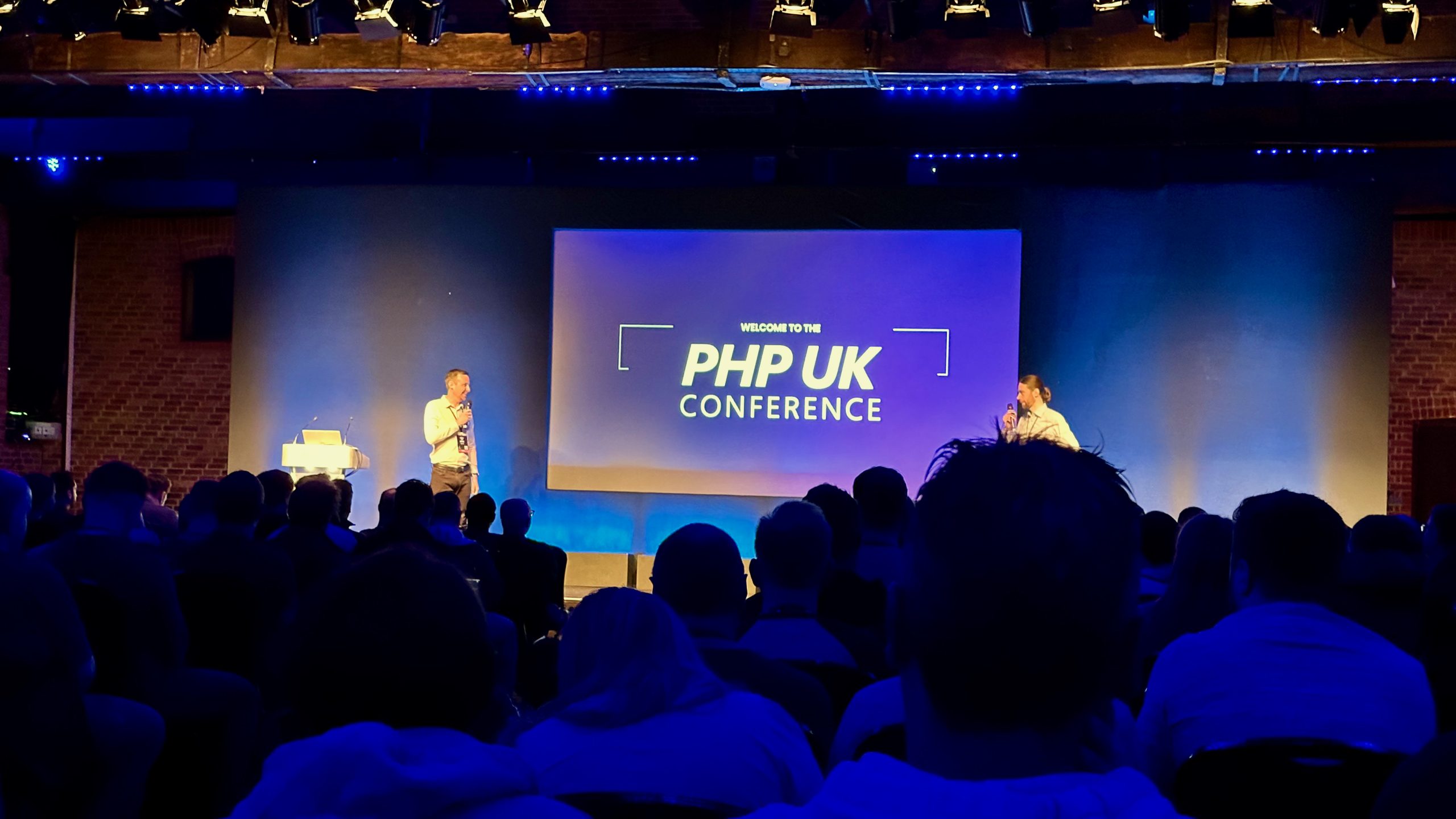
If you're going to the PHPUK conference on Friday, please say hello if you see me!

The schedule is out now, so you can plan the talks you want to see.

Where is php ?

17th October 2008

A question came up on the phpwomen channel today about how to find the path to php executable for use in cron scripts. The answer that came back very quickly to use which or whereis.

It turns out that the server in question is a shared host with a control panel for access to cron and ftp to upload your files. A test proved that shell_exec() wasn't going to work too. After discussing it for a little while and trying a few combinations, we came up with putting:

echo `whereis php` > DIR/whereisphp.txt

into the cron script control panel and set it to run in 2 minutes time. Then it was just a case of looking in the file and discovering that the php binary was in /usr/local/bin.

And this post is here to save me a little bit of time when no doubt I'll run into the same problem in a year's time...

Recursion

16th July 2008

PHPWomen are running an article contest at the moment. All you have to do is write an article for the Best Practices forum and you could win a Zend Studio for Eclipse license and a a 1-year subscription to Linux Pro magazine!

Obviously, never one to miss an opportunity to win free swag, I've entered with an article on recursion.

Now it's your turn. Write a article on a best practice when coding PHP, but don't make it too good as I want to win!

Notes on Zend_Cache

11th July 2008

Recently I needed to speed up a legacy project that makes a lot of database calls to generate each page. After profiling, I discovered that 90% of the database calls returned data that rarely changed, so decided to cache these calls. One of the nice things about Zend_Framework is that its use-at-will philosophy means that you can use any given component with minimal dependencies on the rest of the framework code.

In my case, I wanted to use Zend_Cache, so I needed Zend/Cache/*, Zend/Cache.php, Zend/Loader/*, Zend/Loader.php and Zend/Exception.php and didn't bother with any other part of the framework.

The application I'm speeding up is completely procedural with lots of include files and no virtually no classes anywhere other than in the lib/ directory! I wanted to minimise the disruption to the current code and so it seemed that a simple static class that provided a set of proxy functions to an underlying Zend_Cache object would be easiest. I also provided a mechanism to turn off the cache using a simple boolean that could be set when initialising the class.

The class is called TheCache:


class TheCache
{
    /**
     * @var boolean
     */
    static protected $_enabled false;

    /**
     * @var Zend_Cache_Core
     */
    static protected $_cache;
    
    static function init($enabled$dir$lifetime=7200) {
        self::$_enabled $enabled;
        if(self::$_enabled) {
            require_once 'Zend/Cache.php';

            $frontendOptions = array(
               'lifetime' => $lifetime,
               'automatic_serialization' => true, 
            );
            $backendOptions = array(
                'cache_dir' => $dir, 
                'file_name_prefix' => 'thecache', 
                'hashed_directory_level' => 2, 
            );
            self::$_cache Zend_Cache::factory('Core''File'$frontendOptions$backendOptions);
        }
    }
    
    static function getInstance() {
        if(self::$_enabled == false) {
            return false;
        }
        return self::$_cache;
    }
    
    static function load($keyName) {
        if(self::$_enabled == false) {
            return false;
        }
        return self::$_cache->load($keyName);
    }
    
    static function save($keyName$dataToStore) {
        if(self::$_enabled == false) {
            return true;
        }
        
        return self::$_cache->save($dataToStore$keyName);
    }

    static function clean()
    {
        if(self::$_enabled == false) {
            return;
        }    
        self::$_cache->clean();   
    }
}

The init() function is used to set up the cache to use files stored in the supplied directory. The only configuration is to choose whether the cache is enabled and the lifetime of all objects stored in it. Note that this is where we get specific to the problem in hand. In this specific case, I didn't need different lifetimes for each item stored in the cache, which nicely simplified everything.

Let's look at how it is used. First we initialise the cache in an include file that happens to be included for every request:


$cacheEnabled = (bool)getenv('THE_CACHE_ENABLED') ? getenv('THE_CACHE_ENABLED') : false;
TheCache::init($cacheEnabledTMP_DIR.'/the-cache/');

I use an environment variable set using SetEnv within my Apache virtual hosts to determine if the cache should be enabled or not, so we use getenv() to retrieve the value and then call TheCache::init(). The use of THE_CACHE_ENABLED allows me to disable the cache on my development machine, and have it enabled on my live server without having any code changes. Obviously, TMP_DIR is defined previously.

Now that we have initialised the cache, we can use it. Within this application, we generally use the ADODB database classes to generate arrays of data from the database along these lines:


$sql 'SELECT x,y FROM z WHERE a=b';
$rs $db->Execute($sql);
$data $rs->GetArray();

To cache this information, I changed the code to look like this:


$keyName 'data-z-a-b'// unique name describing this data set
$data TheCache::load($keyName)
if($data === false) { 
    $sql 'SELECT x,y FROM z WHERE a=b';
    $rs $db->Execute($sql);
    $data $rs->GetArray();
    TheCache::save($keyName$data);
}

Firstly we invent a unique name for the dataset and assign to $keyName and then load the data from the cache object using the load() function. If the data is cached, then we are done. If not, we perform the SQL query to get the data and then store it into the cache using save(). Rinse and repeat for each operation whose results you want to cache.

And that's all there is to it.

Simple Zend_Form File Upload Example Revisited

16th May 2008

I've been thinking about the Simple Zend_Form File Upload Example that I discussed last month.

To recap, if you haven't read the comments, if the form fails to validate for some reason then you get a nasty error:

Warning: htmlspecialchars() expects parameter 1 to be string, object given in /Users/rob/Sites/akrabat/Zend_Form_FileUpload_Example/lib/Zend/View/Abstract.php on line 786

Essentially, what is happening is that the App_Form_Element_File class that we wrote assigns the $_FILES array to the $value parameter for the form element. On redisplay of the form, the formFile view helper then calls the escape() view helper passing in the $value when rendering the <input> element. The escape() view helper calls htmlspecialchars() which throws the warning about $value not being a string.

*whew!*

What we need is something that's an array when the data is valid, but can also look like a string to htmlspecialchars(). This got me thinking about the SPL and creating an object for the data from the $_FILES array.

Let's call this object App_Form_Element_FileValue and store it in lib/App/Form/Element/FileValue.php:

<?php

class App_Form_Element_FileValue extends ArrayObject
{
    public function __toString()
    {
        $result '';
        if(isset($this->name)) {
            $result $this->name;
        }
        return $result;
    }
}

The ArrayObject class is part of the SPL and handily provides a set of functions that enables the object to work with most functions that we like to use with an array including the ability to access the data using array notation. We implement the PHP5 magic function __toString() so that htmlspecialchars() will get a string from the object when it asks for one which nicely knocks that problem on the head.

To integrate it into the code, we need to modify App_Form_Element_File::isValid() from:


    public function isValid($value$context null)
    {
        // for a file upload, the value is not in the POST array, it's in $_FILES
        $key $this->getName();
        if(null === $value) {
            if(isset($_FILES[$key])) {
                $value $_FILES[$key];
            }
        }
        // continues...

to


    public function isValid($value$context null)
    {
        // for a file upload, the value is not in the POST array, it's in $_FILES
        $key $this->getName();
        if(null === $value) {
            if(isset($_FILES[$key])) {
                $value = new App_Form_Element_FileValue($_FILES[$key]);
            }
        }
        // continues...

We also need to modify the validator App_Validate_ValidFile::isValid() function as it's rather too rigourous in its checking. We currently check that $value is an array using is_array():


    public function isValid($value)
    {
        // default value and error is "no file uploaded"
        $valueString '';
        $error UPLOAD_ERR_NO_FILE;
        
        if(is_array($value) && array_key_exists('error'$value)) {
            // set the error to the correct value
            $error $value['error'];
            
            // set the %value% placeholder to the uplaoded filename
            $valueString $value['name'];
        }
        // continues...

As $value is now an object of type App_Form_Element_FileValue, we need to change the test in the if statement to:


    public function isValid($value)
    {
        // default value and error is "no file uploaded"
        $valueString '';
        $error UPLOAD_ERR_NO_FILE;
        
        if((is_array($value) || $value instanceof ArrayObject) 
            && array_key_exists('error'$value)) {
            // set the error to the correct value
            $error $value['error'];
            
            // set the %value% placeholder to the uplaoded filename
            $valueString $value['name'];
        }
        // continues...

Note that we test for an instance of ArrayObject as that is where the functionality of array behaviour is implemented and is more generic in case we need to reuse this code with another object that behaves like an array.

Those are the only changes needed to elegantly remove the error message.

Here's a zip file of this project with the above changes: Zend_Form_FileUpload_Example_Revisited.zip (It includes Zend Framework 1.5.2 which is why it's 3.9MB big).

Test it out and see if it works for you as well as it works for me !